Settings
The BrewForge settings page and its tabs: units and formats, calculations (efficiency or Sudhausausbeute), new-brew defaults and additions, custom brew fields, integrations, data export and deleting your data.
Settings in the sidebar collects everything that applies to your whole account rather than to a single brew. You set most of it once and only come back when your brewing setup changes.
What's on the settings page
Settings is split into tabs under the title:
| Tab | What it holds | Docs |
|---|---|---|
| General | Brewery (name and logo for tap lists, menus and screens), Units & formats (language, volume, weight, temperature, gravity, color, pressure, CO₂, dates, currency) and Calculations (international efficiency or German Sudhausausbeute, what happens when a brew day value is missing, calcium chloride form, which water salts are shown and used by auto-calculate) | Account and settings |
| New brews | Defaults: the equipment, mash, fermentation and water profile new brews start with (the same default you set on a profile's page), and the next batch number. Default additions: misc ingredients added to every new brew | Default brew additions |
| Custom fields | Your own typed fields for brews and brew notes | Custom brew fields |
| Integrations | API tokens, fermentation devices, TRMNL displays and the Brewfather import | API tokens, Devices, TRMNL, Imports |
| Your data | Export all your data as JSON, check your subscription, delete all your data | Data export, Delete your data |
Simple settings such as units change as soon as you pick them; the page shows Saved next to the title. Settings that need an explanation or several fields (brewery, calculations) open a dialog with Save. Units and formats only change how values are displayed: BrewForge stores everything in base units, so you can switch at any time.
General: brewery and calculations
Brewery shows your brewery Name and Logo. Click either row to open the Brewery dialog: type the name, and upload a logo (JPEG, PNG or WebP, up to 2 MB) with Upload logo, or replace or remove it. The logo is the default logo on tap list menus and screens and the one labels use.
Calculations has these rows; each opens a dialog:
- Efficiency: International (brewhouse + mash) (default) or German (Sudhausausbeute). See Efficiency: international or Sudhausausbeute below.
- When a brew day value is missing: Keep efficiency (default) or Keep recipe value. The dialog explains both with examples; what it changes is described in Brew day.
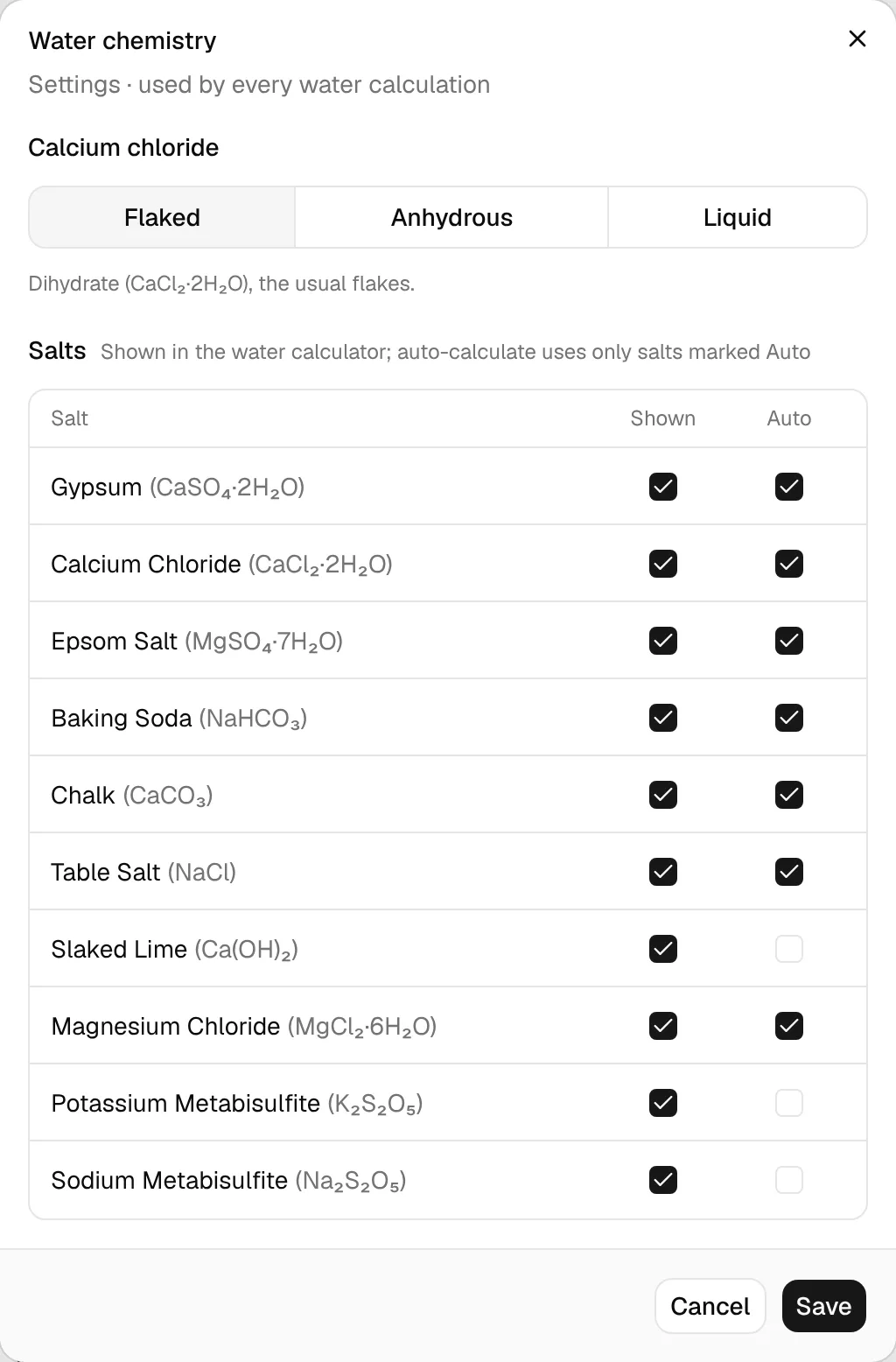
- Calcium chloride and Water salts open the Water chemistry dialog. Pick the form of your calcium chloride: Flaked (dihydrate, the usual flakes), Anhydrous, or Liquid with its Concentration in percent (usually 30–36 %; amounts are then entered in ml). Below, the Salts table has two columns: Shown lists the salt in the water calculator, Auto lets Calculate salts for target use it. Click Save to apply.
Efficiency: international or Sudhausausbeute
Brewers measure efficiency in two different ways, and the numbers are about 20 % apart. Settings → General → Calculations → Efficiency picks the one BrewForge shows and asks for:
| Option | What it measures | Used by |
|---|---|---|
| International · brewhouse + mash efficiency (default) | The share of the malt's extract potential that ends up in the fermenter (brewhouse efficiency) or in the wort before the boil (mash efficiency). | Brewfather, BeerSmith and most English sources |
| German · Sudhausausbeute | The extract in the cast-out wort (end of the boil) per kilogram of grain. It is measured against the grain's weight, not its potential, so it reads about 20 % lower. | Maische Malz und Mehr, Kleiner Brauhelfer and German brewing books |
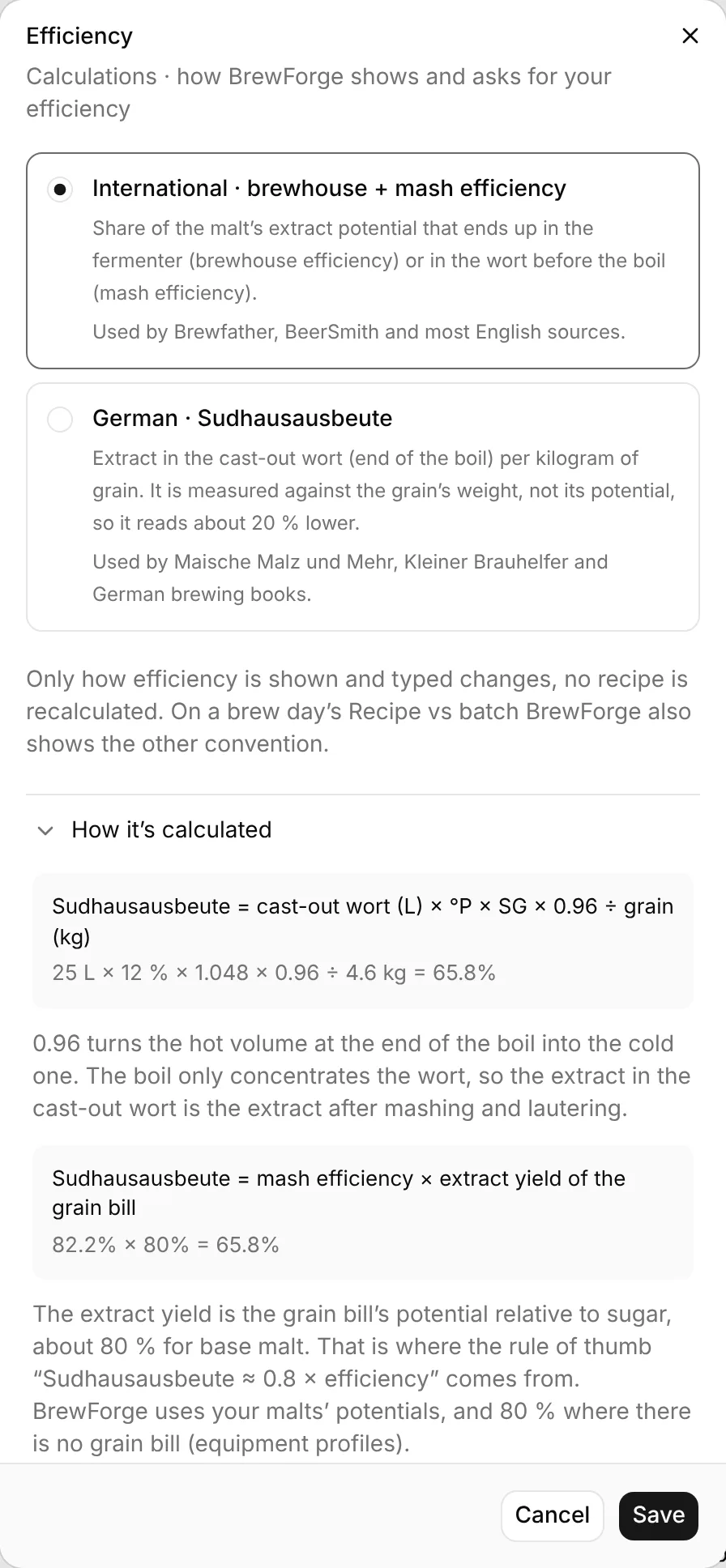
Pick the option and click Save. Only how efficiency is shown and typed changes: no recipe is recalculated, and recipes, equipment profiles and brews keep storing mash and brewhouse efficiency. When you type a Sudhausausbeute, BrewForge converts it to those values. So you can switch at any time, and a recipe from a German book with "SHA 65 %" can be entered as it is printed.
With German (Sudhausausbeute), the Sudhausausbeute (short SHA) replaces brewhouse or mash efficiency in:
- the recipe: the SHA key value under Equipment & volumes, the fermentables footer, the recipe settings, Scale batch and the equipment change dialog (Recipe)
- equipment profiles: the list, the efficiency row on the profile page, the batch dialog and New equipment
- the public share page (it follows the owner's setting) and the brew sheet PDF
On the brew day, Recipe vs batch shows the convention you chose as the key value and the other one in a muted line under it, so you can compare with other tools either way.
Sudhausausbeute = cast-out wort (L) × °P × SG × 0.96 ÷ grain (kg)
The cast-out wort is the hot volume at the end of the boil; 0.96 turns it into the cold volume. °P is used as a fraction (12 °P = 0.12), SG is the matching specific gravity.
Example: 25 L cast-out wort at 12 °P (SG 1.048) from 4.6 kg of grain: 25 × 0.12 × 1.048 × 0.96 ÷ 4.6 = 65.6 %. The example in the dialog shows 65.8 % for the same numbers because it calculates with the unrounded 12.02 °P of SG 1.0484.
The boil only concentrates the wort, so the extract in the cast-out wort is the extract after mashing and lautering:
Sudhausausbeute = mash efficiency × extract yield of the grain bill
extract yield = weighted potential (PPG) of the mashed malts ÷ 46.21
46.21 PPG is pure sugar, so the extract yield is the grain bill's potential relative to sugar, about 80 % for base malt. That is where the rule of thumb "Sudhausausbeute ≈ 0.8 × efficiency" comes from. Sugars and extracts don't count, only mashed grains. Equipment profiles have no grain bill and use 80 %.
A brewhouse efficiency goes back to the cast-out wort through the kettle loss first: mash efficiency = brewhouse efficiency × post-boil volume ÷ wort into the fermenter (hot).
Example: 82 % mash efficiency × 80 % = 65.6 % Sudhausausbeute. With 25 L after the boil and 23 L into the fermenter, that is a brewhouse efficiency of 82 × 23 ÷ 25 = 75.4 %.
Converted values are rounded to 0.1 %.
New brews: defaults and next batch number
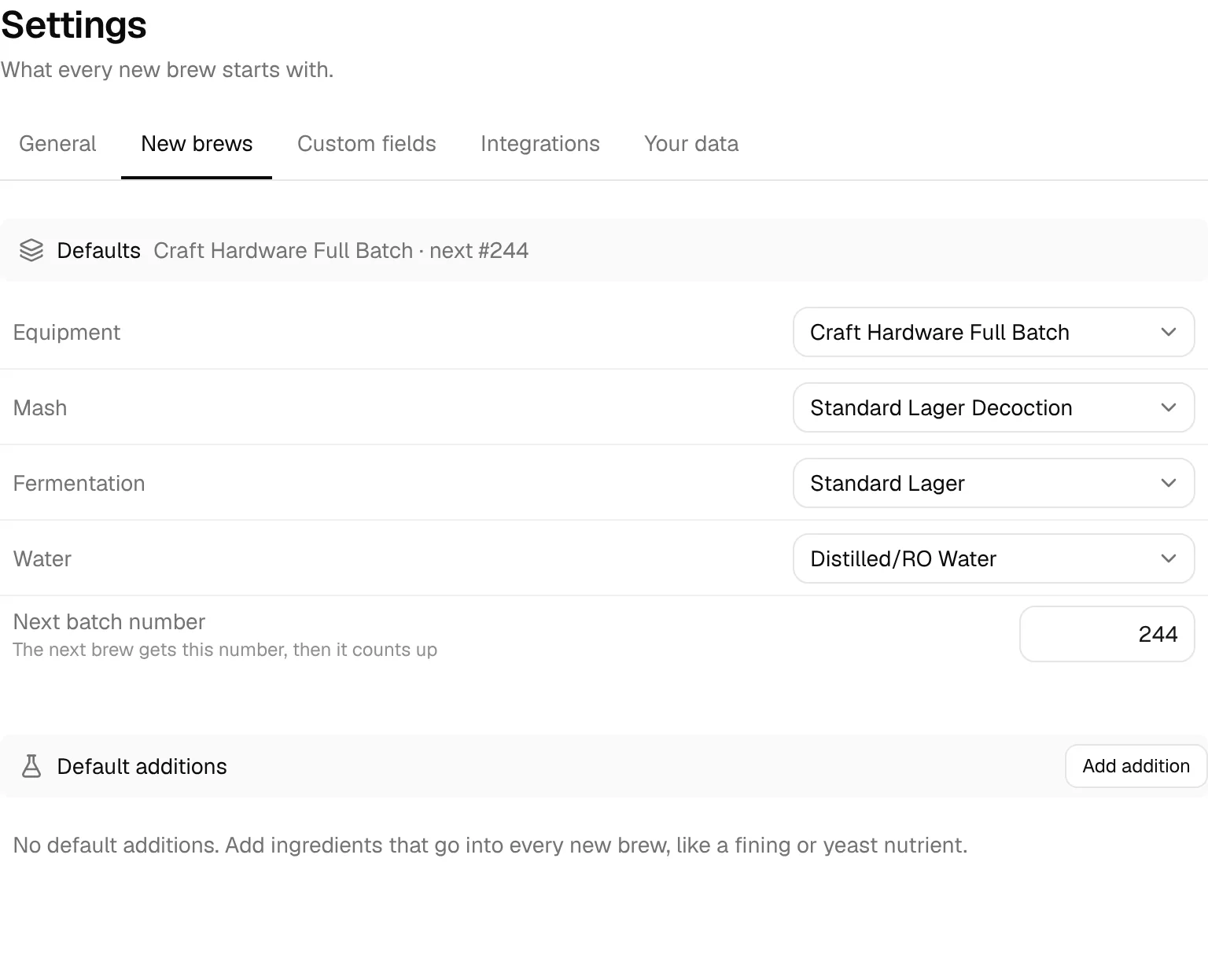
Under Defaults, pick the Equipment, Mash, Fermentation and Water profile every new brew starts with. This is the same default you set with Set as default on a profile; the lists show your own profiles. Next batch number sets the number the next brew gets; BrewForge counts up from there. Leave it empty (Auto) to simply continue after your highest batch number.
Default additions below are covered in Default brew additions.