API tokens
Create, rename, change, regenerate and delete BrewForge API tokens with scopes for the REST API, actions API and MCP server, and disconnect connected apps.
API tokens let other programs read and change your BrewForge data through the REST API, the actions API and the MCP server: a home automation, a spreadsheet script, your own dashboard, an AI assistant. You manage them under Settings → Integrations → API tokens.
Pro plan
API access needs the Pro plan or higher. You can create tokens on any plan, but API requests are only accepted while your account is on Pro or higher.
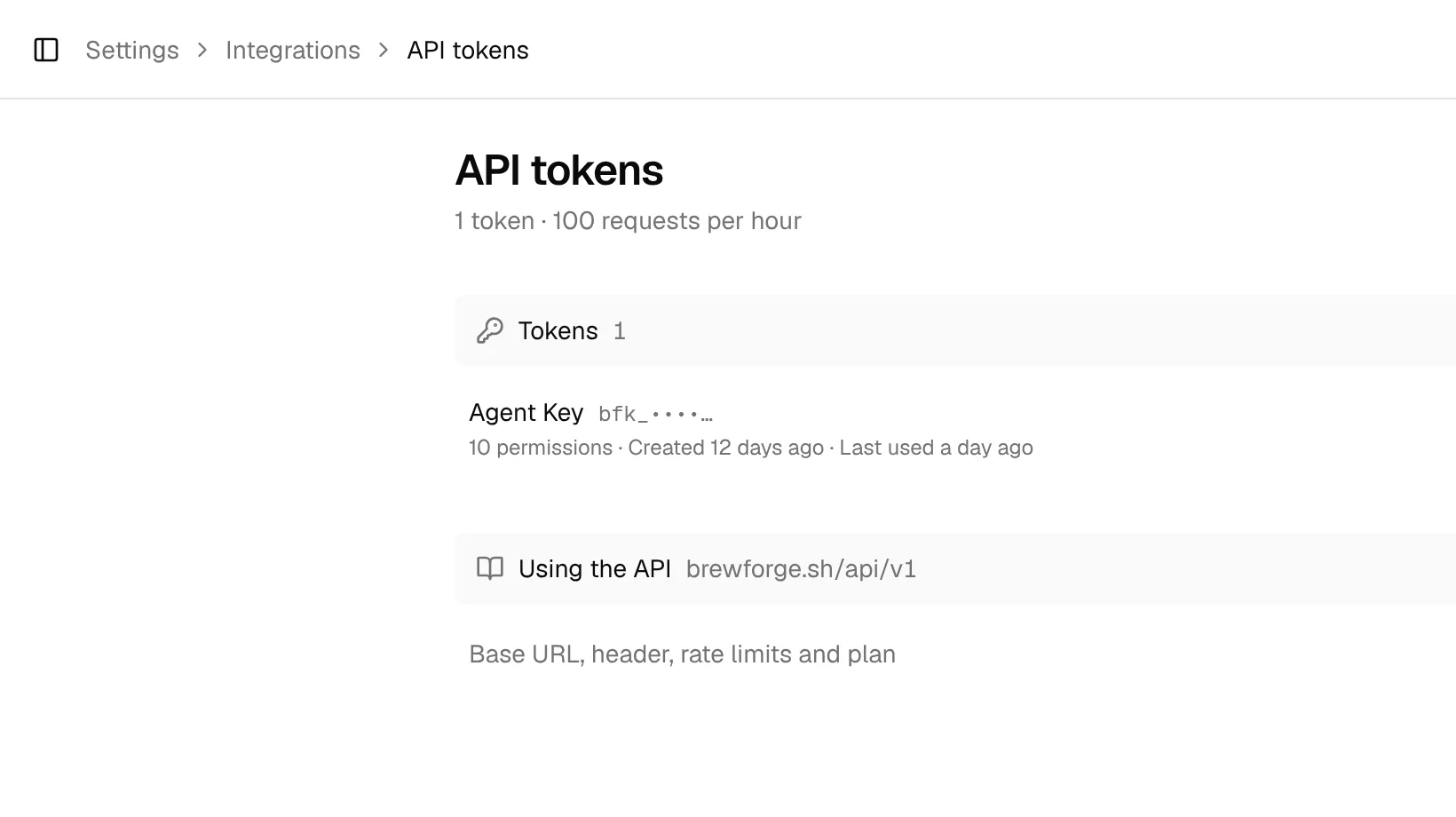
The page lists your tokens with their name, the first characters of the token, how many permissions they have, when they were created and last used, and when they expire. Using the API below folds out the base URL, the header to send, the rate limits and the plan requirement. On a plan without the API, a line above the list says so.
Connected apps, between the tokens and Using the API, lists the AI assistants and other apps you connected with OAuth sign-in instead of a token, with the MCP server URL to copy. Click an app to Disconnect it. How to connect one: MCP server.
Create a token
Open Settings, switch to Integrations, click API tokens, then Create token.
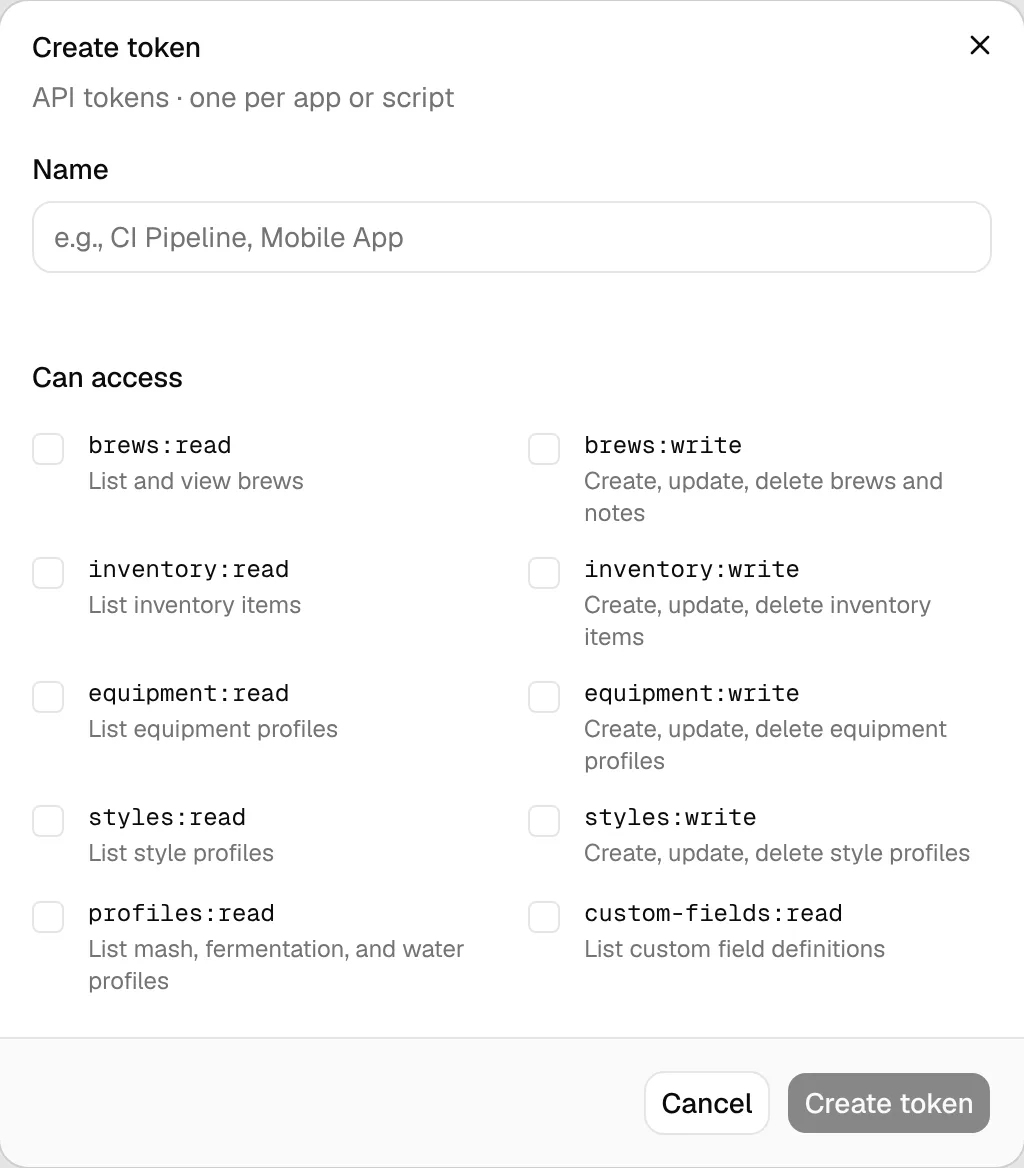
Give the token a Name that tells you where it is used, for example "Home Assistant".
Under Can access, tick the scopes the program needs, and no more. Read scopes only list data, write scopes can create, change and delete it.
Click Create token, then copy the token from Copy your token. It is shown only once. If you lose it, regenerate it.
Scopes
| Scope | Allows |
|---|---|
read | Read everything (all areas) |
write | Create, change and delete everything (all areas) |
brews:read | List and view brews |
brews:write | Create, update, delete brews and notes |
inventory:read | List inventory items |
inventory:write | Create, update, delete inventory items |
cellar:read | View cellar, packaged stock, tap lists, and labels |
cellar:write | Manage cellar, packaging, stock, tap lists, and labels |
profiles:read | List mash, fermentation, and water profiles |
profiles:write | Create, update, delete mash, fermentation, and water profiles |
equipment:read | List equipment profiles |
equipment:write | Create, update, delete equipment profiles |
styles:read | List style profiles |
styles:write | Create, update, delete style profiles |
custom-fields:read | List custom field definitions |
custom-fields:write | Create, update, delete custom field definitions |
settings:read | View preferences, imports, calculators, and your data export |
settings:write | Change preferences and undo imports |
community:read | View community, feedback, tickets, inbox, and account overview |
community:write | Post, vote, and reply in community, feedback, and tickets |
read and write cover every area, now and when new areas are added. A write scope doesn't include reading: tick both when a program reads and writes. Authentication lists which data each area covers, and the tool reference names the scope of every action.
Change, regenerate or delete a token
Click a token to open it:
- Change its Name or what it Can access and click Save. The token value stays the same, so programs keep working with the new permissions.
- Regenerate… creates a new token value and, after you confirm the warning, revokes the old one immediately. Programs using the old value stop working until you give them the new one.
- Delete token revokes the token immediately, after you confirm.
Use the token
Send the token in the Authorization header of every request:
curl https://brewforge.sh/api/v1/brews \
  -H "Authorization: Bearer YOUR_TOKEN"
Details are in Authentication, Rate limits and the API reference.