Water
Adjust brewing water in BrewForge: source and second water blends, target profiles, salts and acids, automatic salt calculation, mash and sparge split, acidulated malt and the estimated mash pH.
The Water section on the Recipe tab shows what water you brew with and what you add to it. Adjust opens the water calculator, where you build the water step by step: source water, an optional second water to blend, an optional target, salts and acid. The result and the estimated mash pH update as you type.
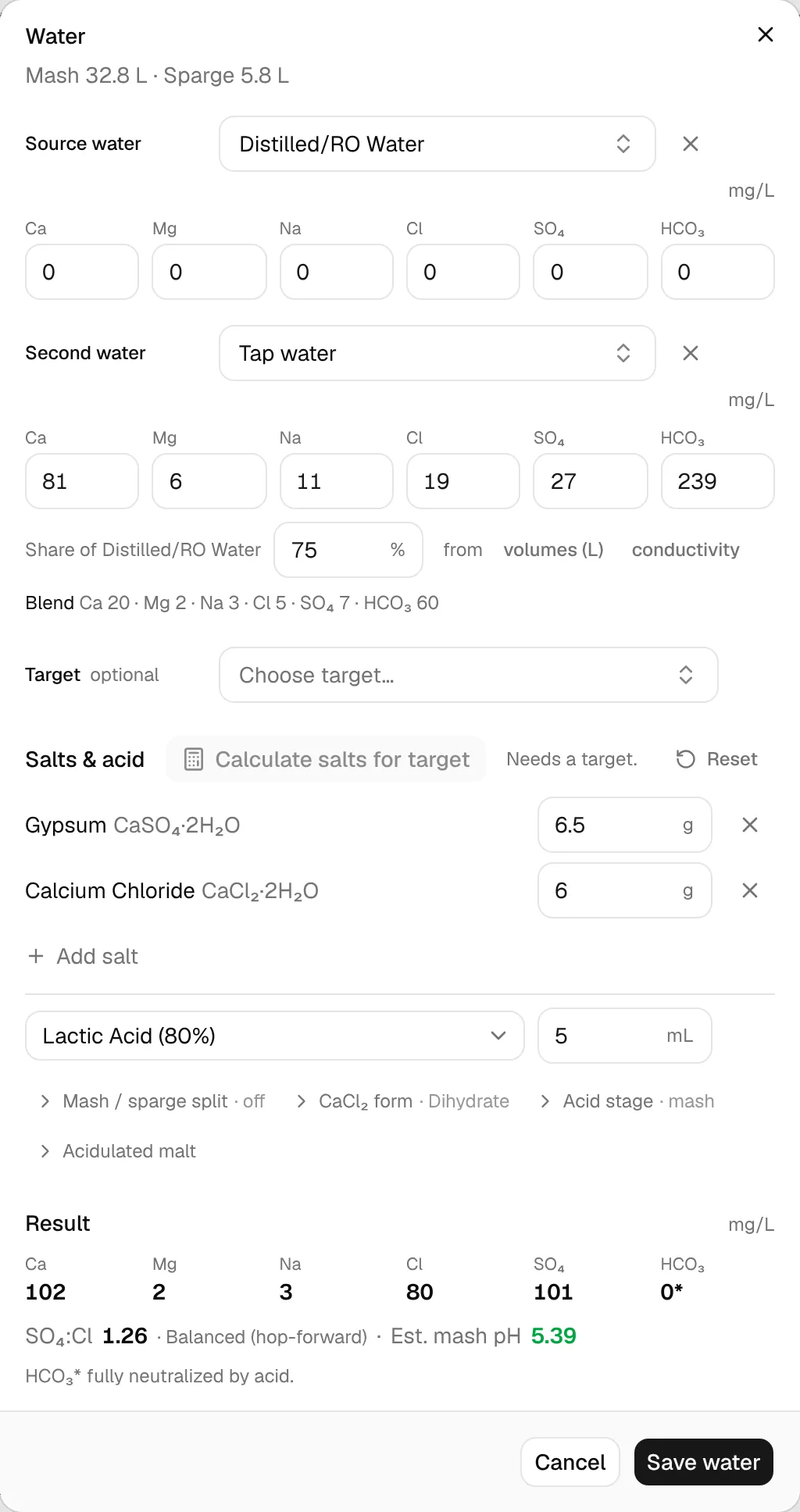
Changes in the dialog apply when you click Save water. Cancel discards them.
Source water
Pick one of your water profiles as Source water, or Enter values for calcium, magnesium, sodium, chloride, sulfate and bicarbonate in mg/L (for example from your water report). Changing a value marks the profile edited for this recipe; New water profile… saves it for other recipes.
Blending with a second water
Dilute with second water adds a Second water, typically distilled or RO water to soften hard tap water. Set the Share of the first water in percent, or let BrewForge work it out:
- from volumes: enter how many litres of each water you use.
- from conductivity: measure the conductivity (µS/cm) of both waters and of your blend.
Both calculators are explained with their formulas under Water helpers.
The line Blend shows the ions of the mixed water.
Target
Optional: choose a target profile, for example a classic brewing water or one of your own. With a target set, the result shows each ion next to its target and turns green when it is within 15 mg/L.
Salts and acid
Add salts with Add salt: gypsum, calcium chloride, Epsom salt, table salt, baking soda, chalk, slaked lime, magnesium chloride, and potassium or sodium metabisulfite. Enter grams for the whole batch.
Calculate salts for target suggests the salts that bring your water closest to the target. It needs a source, a target and the water volume, and only uses the salts you allowed for automatic calculation under Settings → General → Calculations → Water salts (column Auto). Adjust the suggestion afterwards as you like. Reset removes all additions.
Below the salts, choose an acid (lactic, phosphoric, citric, hydrochloric or sulfuric, in common concentrations) and the millilitres. If the mash pH is still above 5.4, BrewForge tells you about how much more acid gets you there.
Less common options are in the folds below:
- Mash / sparge split: split the salts between mash and sparge water instead of adding everything to the mash.
- CaCl₂ form: dihydrate (flakes), anhydrous or a liquid solution with its concentration, for this recipe or as your global setting.
- Acid stage: add the acid to the mash, the sparge water or both. Only acid in the mash changes the mash pH.
- Acidulated malt: how much the acidulated malt in your grist lowers the pH, or how much you would need instead of liquid acid.
Result
The Result shows the final ions, the SO₄:Cl ratio with what it means for the beer, and the Est. mash pH (green between 5.2 and 5.6, with the value before your additions). Hardness, alkalinity & RA shows these as CaCO₃.
| SO₄:Cl | Character |
|---|---|
| above 2 | Hoppy/Bitter |
| 1 to 2 | Balanced (hop-forward) |
| 0.5 to 1 | Balanced |
| 0.33 to 0.5 | Balanced (malt-forward) |
| below 0.33 | Malty/Sweet |
Back in the recipe, the section's bottom line shows the mash and sparge water volumes; expand it for the total water and, with a second water, how many litres of each to use for mash and sparge.
On brew day, log the measured mash pH on the Brew Day tab to see how close the estimate was.
The formulas for ions, blends, residual alkalinity and mash pH are under Brew calculations. The metabisulfite ppm calculator, the mash/sparge split, the acid suggestion and acidulated malt are explained in detail under Water helpers.