Get help
Where to get help with BrewForge: the documentation, Feedback for questions and feature requests, the WhatsApp user group, and private support tickets for bugs.
When something in BrewForge is unclear or doesn't work, there are four places to turn to. Which one fits depends on what you need.
| You want to … | Go to | Who sees it |
|---|---|---|
| Find out how something works | This documentation (More → Documentation in the sidebar opens it) | Public |
| Ask a question about BrewForge, or ask for a feature | Feedback (Feedback in the sidebar) | All BrewForge members |
| Chat with other brewers | More → User group in the sidebar opens the BrewForge group on WhatsApp | Members of the group |
| Report something that doesn't work | A support ticket: the feedback button or Report a problem under Inbox & Tickets | Only you and the BrewForge team |
Bugs go to a ticket, wishes and questions to Feedback. A ticket is private and the team answers it on the ticket page. A wish or a question in Feedback helps everyone else too: other members can vote on it and answer it. The feedback dialog asks which of the two you have and sends you the right way.
Inbox & Tickets
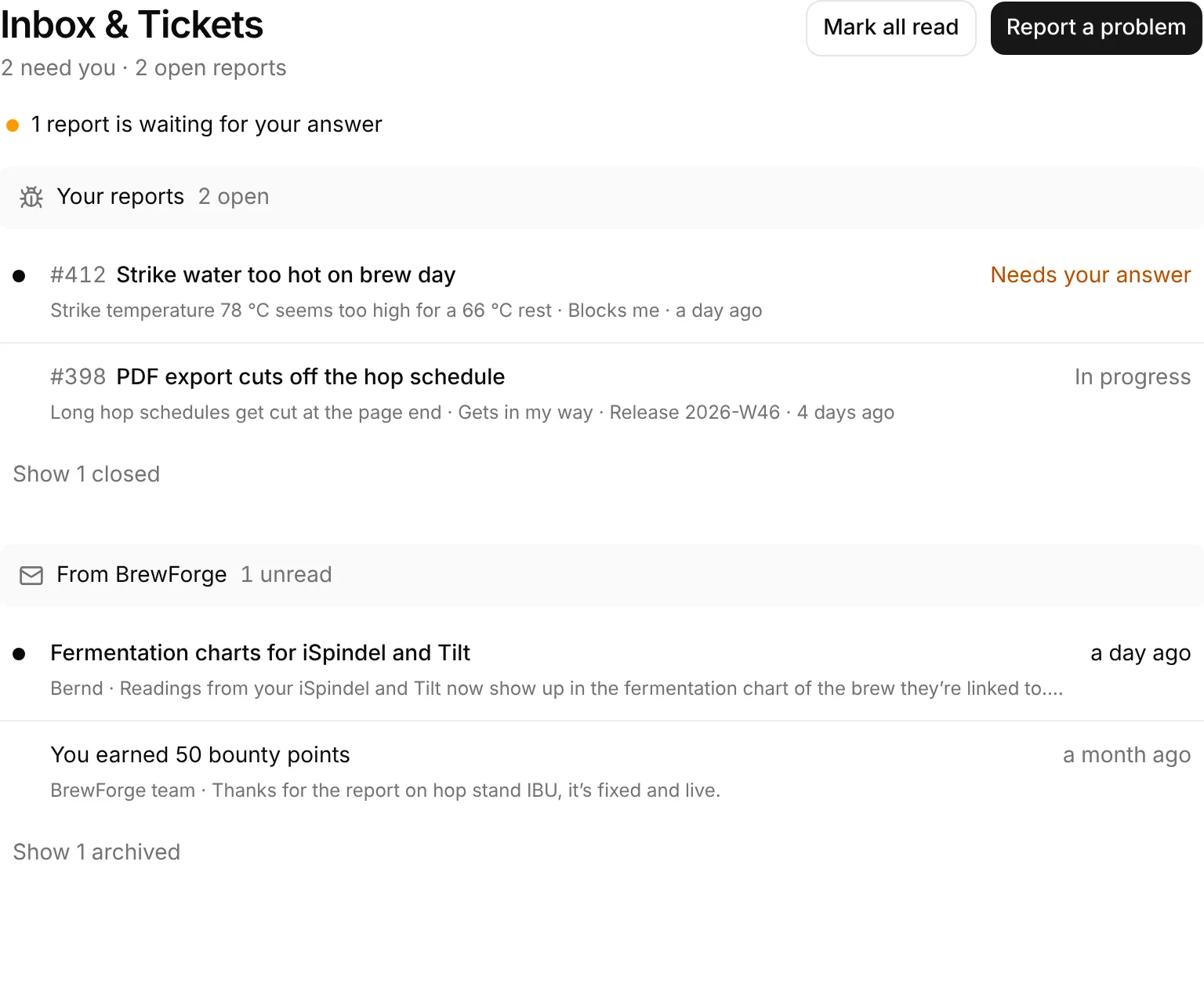
Inbox & Tickets in the sidebar (section Help) is where your support lives: the bug reports you sent with the team's answers, and messages from the BrewForge team. A count next to it tells you when something needs you.
In this section
Report a problem
Open the feedback dialog, describe what doesn't work, add screenshots and send it as a ticket.
Your tickets
The ticket page: statuses, the conversation with the team, replies with images, who answers.
Inbox and messages
The Inbox & Tickets page: your reports, messages from BrewForge, read and unread, archive, notifications.
When a page doesn't load
If a page fails with This page didn't load, click Try again first. If it keeps happening, the page links to contact support (an e-mail to support@brewforge.sh) and shows an Error ID. Put that ID into your e-mail or ticket: it lets the team find the error in the logs. The Page not found page has a Let us know link to the same address. See status pages for all of them.