Getting started
The BrewForge workflow in short steps, from creating your account to a finished, conditioned beer.
This guide takes you through BrewForge once, end to end. Each step is a short page; together they take about 20 minutes to read and set you up for your first brew.
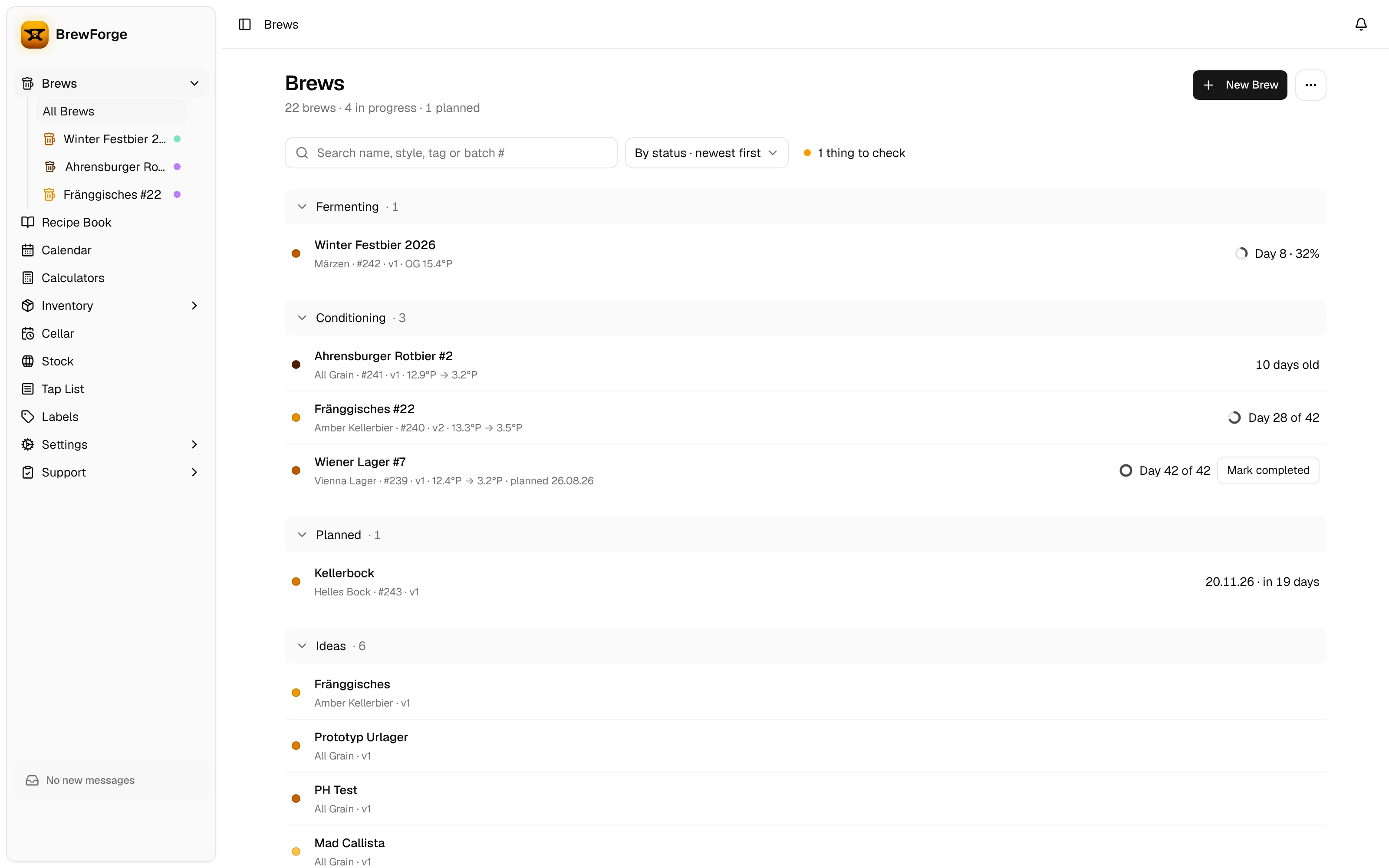
The workflow at a glance
Every beer in BrewForge is a brew. A brew holds the recipe, the brew day measurements, the fermentation readings and the results, and it moves through these statuses:
| Status | What it means |
|---|---|
| Idea | A recipe you are working on. No date, no batch number yet. |
| Planned | Scheduled for a brew day. Gets a batch number. |
| Brew Day | You are brewing it today. |
| Fermenting | The wort is in the fermenter. Readings are logged here. |
| Conditioning | Fermentation is done; the beer is lagering, carbonating or waiting in bottles/kegs. |
| Completed | The beer is finished (or gone). |
| Archived | Kept for reference, hidden from the active lists. |
The Brews page groups your brews by these statuses, so you always see what is fermenting, what is conditioning and what is next. A small ring shows how far fermentation and conditioning have come (The brew list).
Steps
Account and settings: the welcome on first sign-in, then your units, gravity and color scales, and language.
Customize your sidebar: how the sidebar shows the pages you use, where the rest waits, and how to pin brews.
Set up your brewery: activate ingredient packages and create an equipment profile so volumes and efficiency match your system.
Your first recipe: create a brew, add malts, hops and yeast, and read the live calculations.
Brew day: follow the plan and record what you actually measured.
Fermentation and conditioning: log readings (or connect a device), mark final gravity and move the beer on.
Coming from Brewfather or Kleiner Brauhelfer?
You don't have to start from scratch: the Brewfather import and the Kleiner Brauhelfer import bring over your brews with their fermentation readings, recipes, ingredients, stock and profiles. Come back to this guide afterwards to learn where everything lives.
Stuck?
Search these docs, ask in Feedback, or report a problem with the round feedback button in the bottom right corner of the app. Get help explains which one fits and how support tickets work.