Delete your data
Delete all brews, recipes, profiles, inventory and settings in BrewForge and start over with a fresh account.
Delete all data, the last section of the Your data tab in settings, resets your account to a fresh state. Use it to start over, for example after a test import you don't want to keep. You keep your login.
Deleting can't be undone. Export your data first if you might need any of it again.
What gets deleted
- All your brews and recipes
- All profiles: equipment, mash, fermentation, water and styles
- All inventory items, your own ingredient packages and your package subscriptions
- All orders
- All custom fields and their values
- All connected devices and their data
- Your cellar data
- All preferences, which are reset to the defaults
Your login (username, e-mail and password) and your plan stay, so you can sign in again right away and keep your subscription.
Delete everything
Open Settings, switch to Your data and click Delete all data….
Read the list of what will be deleted. Type the confirmation phrase shown in the dialog (I want to delete everything in English) into the field.
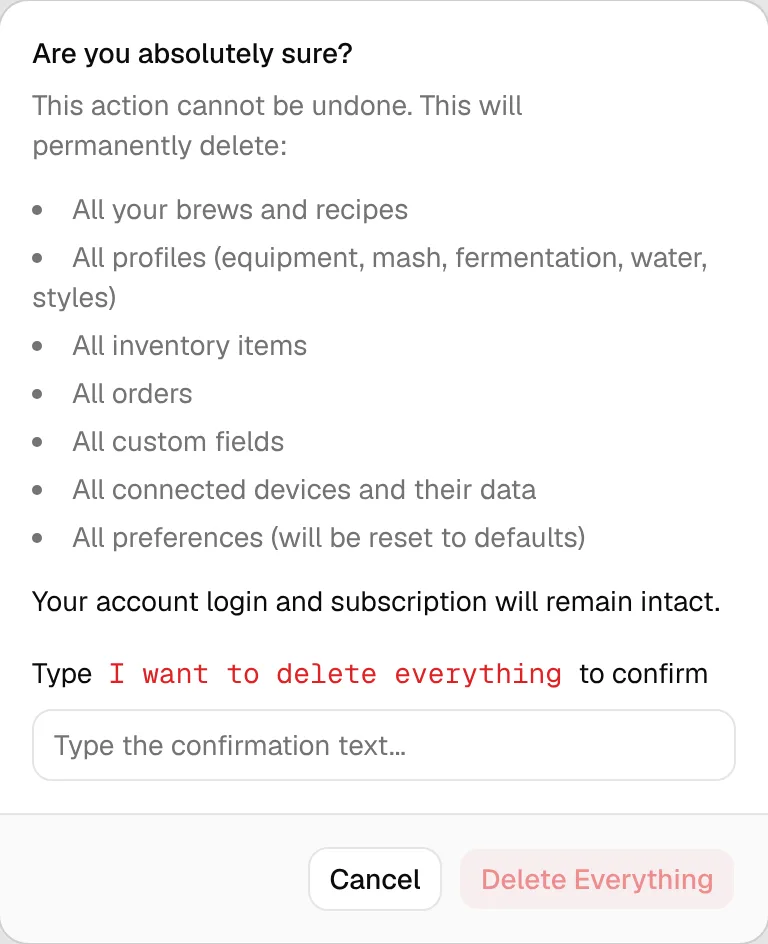
Click Delete Everything. When it is done, BrewForge shows All data deleted and you start with an empty account.
To delete your account itself, including your login, go to Account in the menu at the bottom of the sidebar. See Delete your account.