Feedback
BrewForge Feedback: request features, vote on what gets built next, ask questions about BrewForge, and follow the roadmap and changelog.
Feedback is where BrewForge members ask for features, vote on them and help each other with questions. It is also where the BrewForge team says what it is reviewing, planning, building and has shipped. Everything you post there is visible to all BrewForge members.
Open it with Feedback in the sidebar, in the Help group. Bug reports don't belong in Feedback: they go to the team privately as tickets under Inbox & Tickets (see Report a problem).
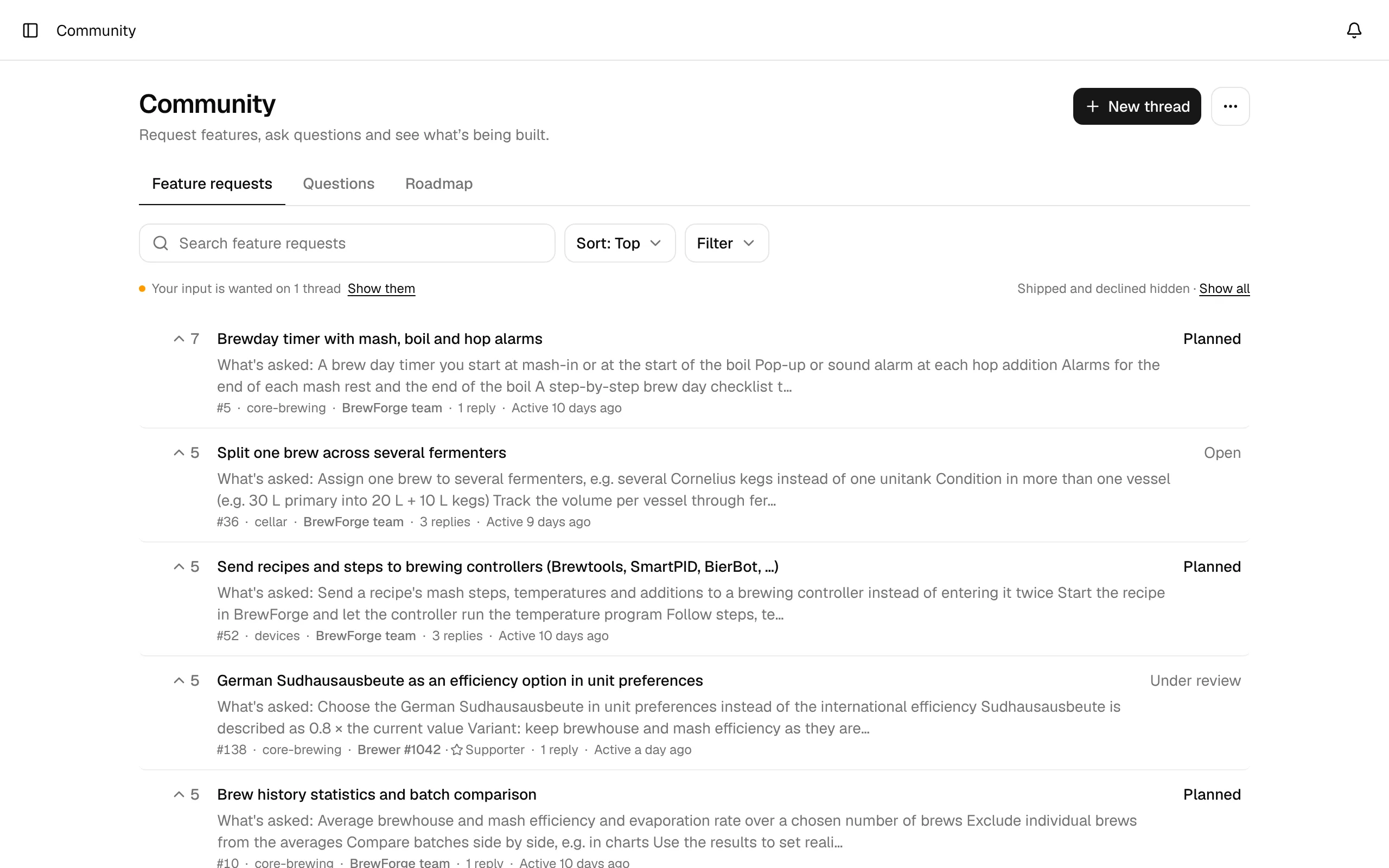
The three tabs
| Tab | What it shows |
|---|---|
| Feature requests | Ideas for BrewForge. Members vote on them, and the team gives each one a status such as Under review, Planned or Shipped. |
| Questions | "How do I … in BrewForge?" threads. Brewers and the team answer, and the asker marks the answer that helped. |
| Roadmap | All feature requests the team is reviewing, planning or building, and everything shipped. See Roadmap. |
A thread is one feature request or question with its replies. Each thread has a number (#52), which you also see in its address.
Find a thread
The list shows 20 threads per page, with Previous and Next below. Each row shows the votes (feature requests only), the title, the start of the team's summary, and a line with the thread number, its labels, who started it, the number of replies and when it was last active. The status is on the right.
- Search: type into Search feature requests (or Search questions) and press Enter. It searches the thread titles.
- Sort: Top (most votes), Trending (most votes in the last 30 days), New (newest threads first) or Recently active (latest reply or change first).
- Filter: pick a status, or narrow the list to your own threads.
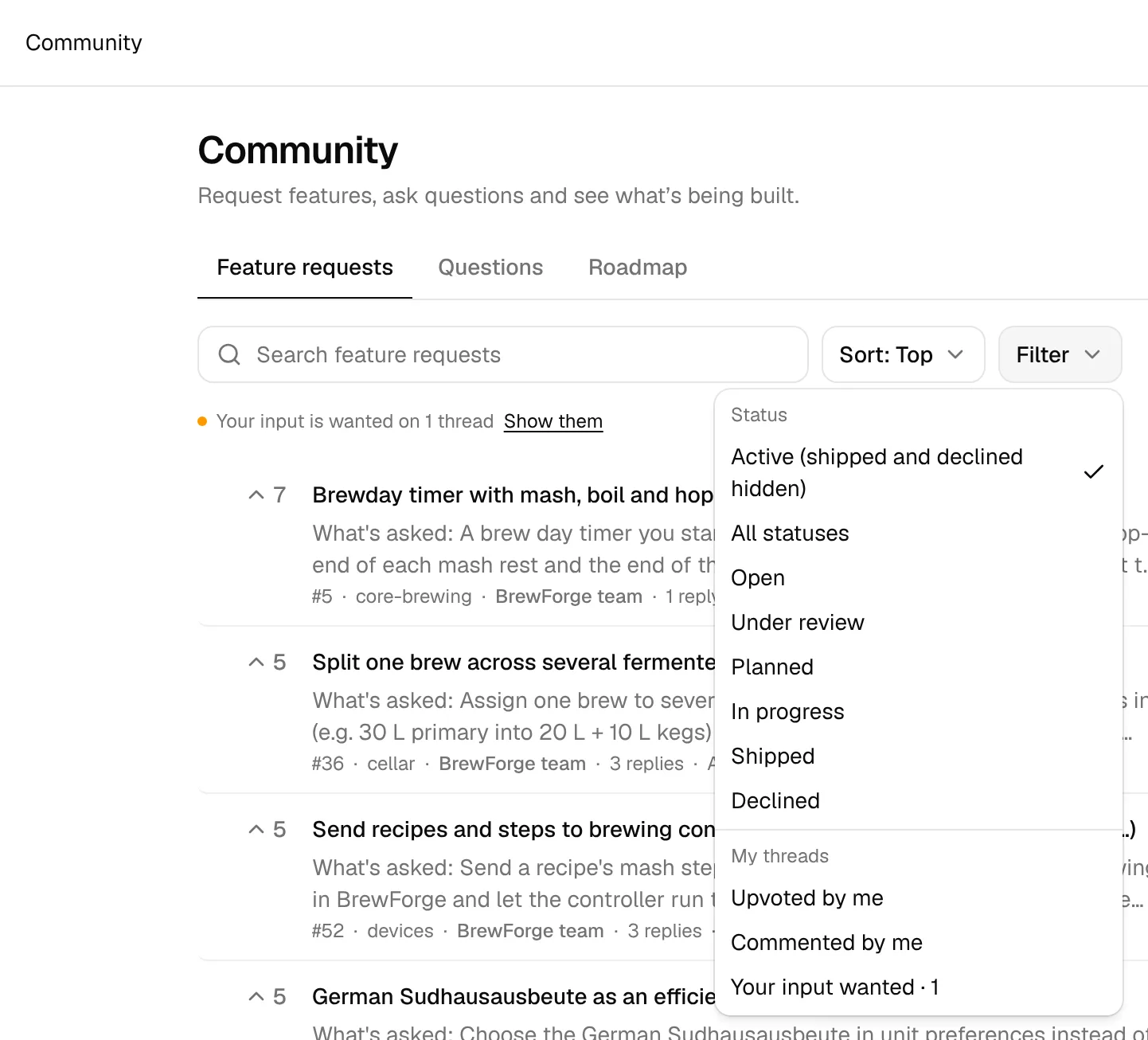
| Filter | Shows |
|---|---|
| Active (shipped and declined hidden) | The default for feature requests: everything except Shipped and Declined. The line above the list says so; Show all brings them back. |
| All statuses | Every thread. On the Questions tab this is the default. |
| A single status | Only threads in that status. |
| Upvoted by me | Feature requests you voted for (feature requests only). |
| Commented by me | Threads you started or replied to. |
| Your input wanted · N | Threads with an open questionnaire you haven't answered yet. See Your input. |
Active filters show in a line under the toolbar, each with a ✕ to remove it, and the number of matching threads on the right. Clear filters in the Filter menu removes them all. When the team asks for your input somewhere, the line says Your input is wanted on N threads with a Show them link.
The ⋯ button next to New thread links to the Changelog and opens the public roadmap in a new tab.
Who can do what
| Free | Basic and Pro (and trials) | |
|---|---|---|
| Read all threads | ✓ | ✓ |
| Start threads | 3 per month | 3 per day |
| Reply | 10 per month | 30 per day |
| Vote on replies, report posts, answer questionnaires | ✓ | ✓ |
| Vote on feature requests | ✓ |
Limits count in UTC: per calendar month on the free plan, per day on a paid plan or a trial. When you reach one, the reply box tells you when you can post again.
New accounts can read from the start but post, reply, vote on replies, report and answer questionnaires only once the account is 7 days old. This keeps spam out.
Next to the names of paying Basic and Pro members Feedback shows a ☆ Supporter marker. Posts by the BrewForge team show as BrewForge team; posts an AI agent wrote for the team add · AI.