Default brew additions
Add misc ingredients such as yeast nutrient, Whirlfloc or brewing salts to every new BrewForge brew automatically.
Some ingredients go into almost every batch: a kettle fining, yeast nutrient, a pinch of salt. Default additions saves you from adding them by hand each time. Every ingredient on this list is added to the recipe of each new brew you create.

Add a default addition
Open Settings, switch to the New brews tab and click Add addition in the Default additions section.
Pick the ingredient: search the list and click it. The list contains the misc ingredients from your packages and My Ingredients, plus BrewForge's built-in water agents.
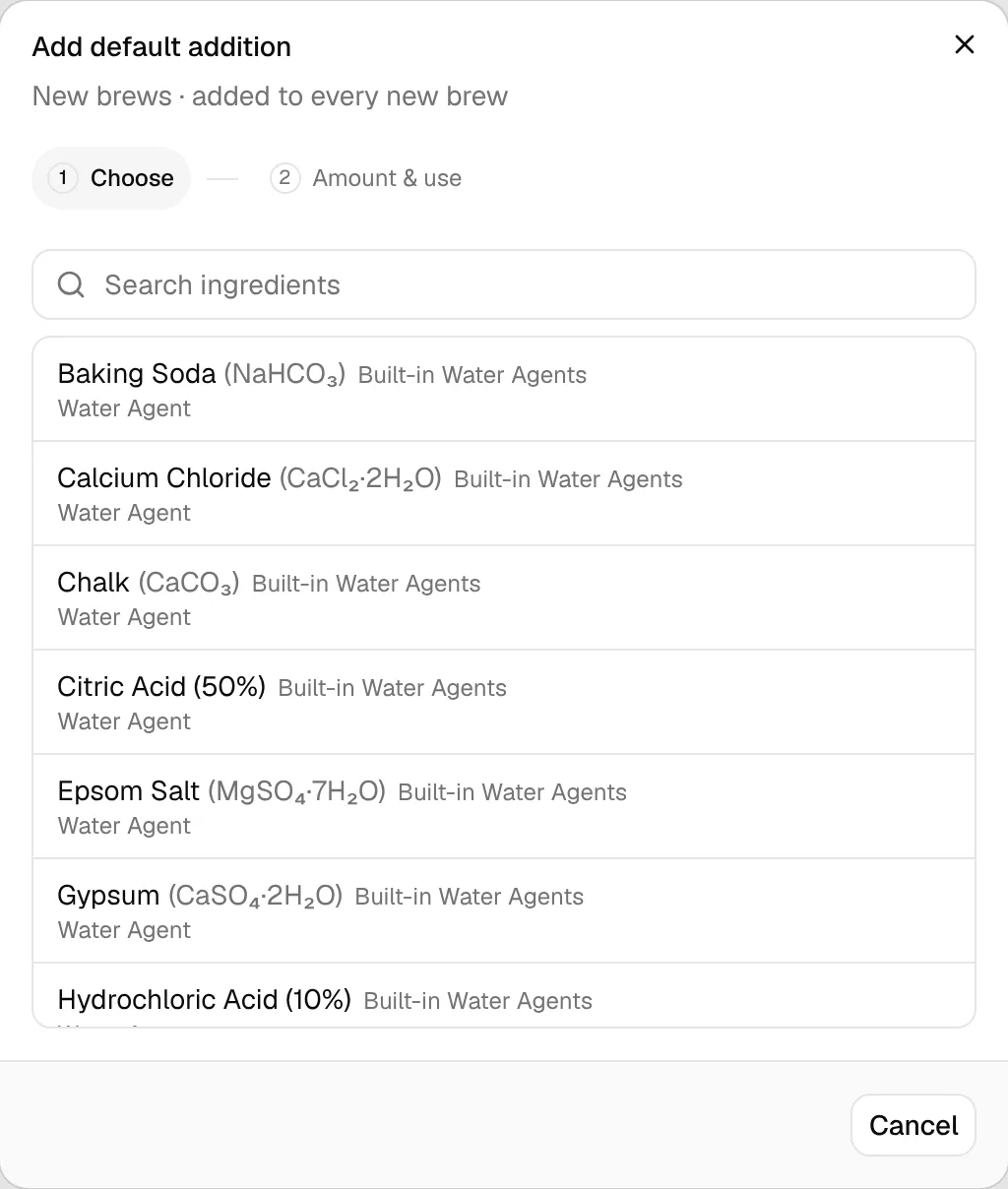
Enter the Amount and Unit, and check the Type. The unit and type are prefilled from the ingredient.
Choose the Use: Mash, Boil, Whirlpool, Primary, Secondary or Bottling. The optional Time is in minutes for mash, boil and whirlpool, and in days for the fermentation and bottling uses.
Click Add. The ingredient now appears in the list with its amount, use and time.
To change an entry, click it in the list. To remove one, open it and click Remove.
When the additions are applied
- They are added when you create a new brew from scratch. The amount is copied exactly as you entered it; it is not scaled to the batch size.
- Brews you already have are not changed when you edit the list.
- Imported recipes (BeerXML, MMuM, Brewfather) and duplicated brews keep their own ingredient list; default additions are not added to them.
You can edit or delete an added ingredient in each brew like any other ingredient.