Planning and purchasing
Choose your ingredient database, add your own malts and hops, see which ingredients your planned brews are missing, and turn shortages into orders that fill your inventory when they arrive.
BrewForge connects the ingredients in your recipes with what you have at home and what you still need to buy. This section covers everything around the inventory: where ingredients come from, how BrewForge works out what's missing for your next brews, and how you order and receive it.
You find all of it under Ingredients in the sidebar. Planner and Orders wait under More until you first use them (how the sidebar works).
How the pieces fit together
Choose your ingredients. Subscribe to supplier packages and add anything missing to My Ingredients. Only these ingredients show up when you build a recipe or add stock.
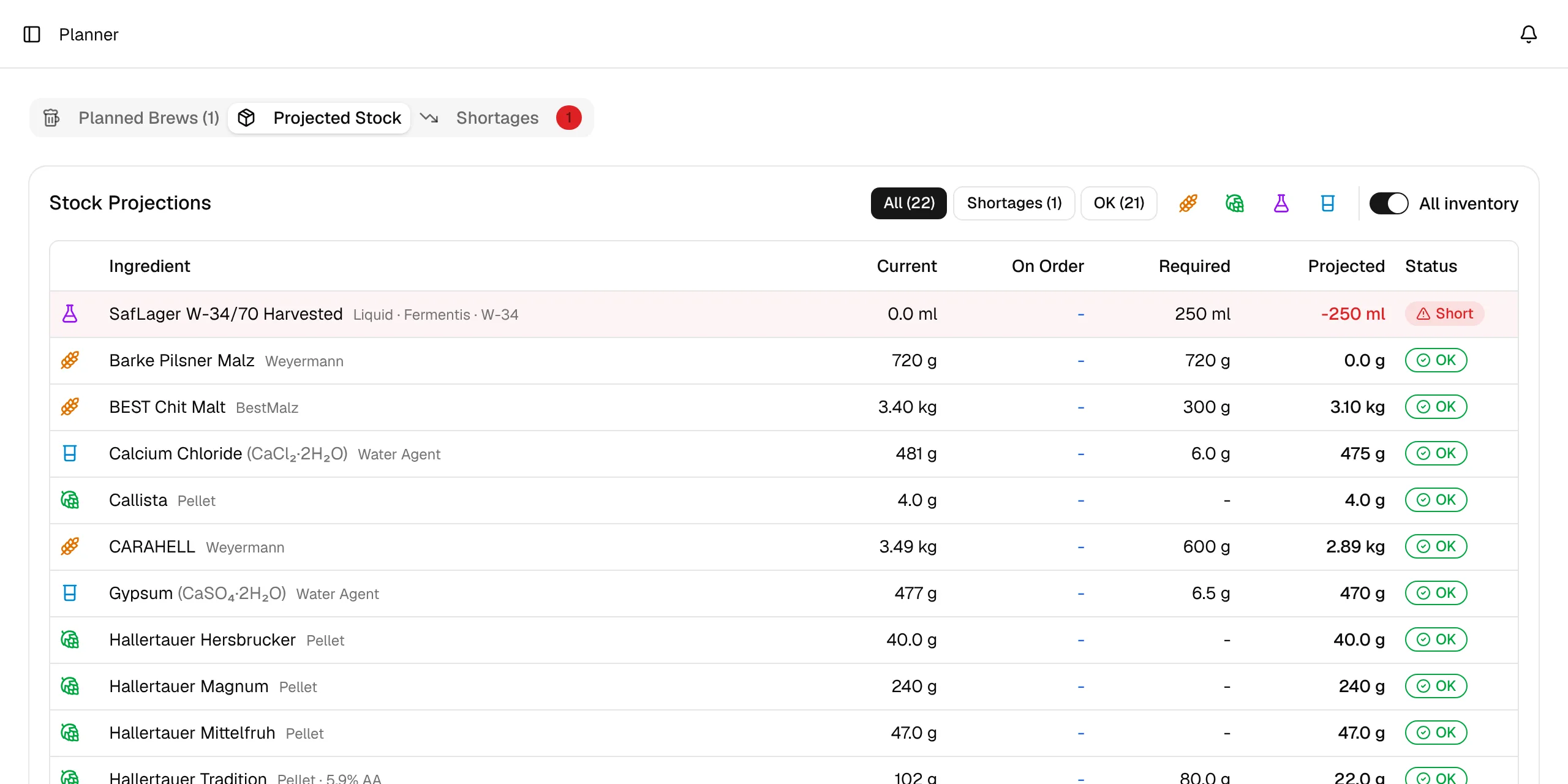
Plan brews. Every brew with the status Planned counts towards the Planner. It adds up the ingredients of all planned brews and compares them with your inventory and open orders.
Order what's missing. Select the shortages and let the Planner create an order, or start one by hand.
Receive the delivery. Enter what arrived. BrewForge adds it to your inventory, including the price per kilogram or package.
| Page | What it's for | Plan |
|---|---|---|
| Packages | Pick which supplier databases (malts, hops, yeast) you use | All plans |
| My Ingredients | Your own fermentables, hops, yeasts and misc ingredients | All plans |
| Planner | Ingredient requirements and shortages of planned brews | Pro and higher |
| Orders | Shopping lists, deliveries and purchase prices | Pro and higher |
Pro plan
Planner and Orders are part of the Pro plan and higher. On other plans, opening them takes you to the plans page.