Brewing Calculators
Twelve brewing calculators in BrewForge: ABV, refractometer correction, hydrometer temperature correction, yeast pitch rate, priming sugar, spunding, strike water, step mash and more.
BrewForge has twelve brewing calculators. They answer the quick questions of a brew day without opening a recipe: how strong is this beer, what does my refractometer really read, how much priming sugar goes into the bottling bucket, how hot must the strike water be.
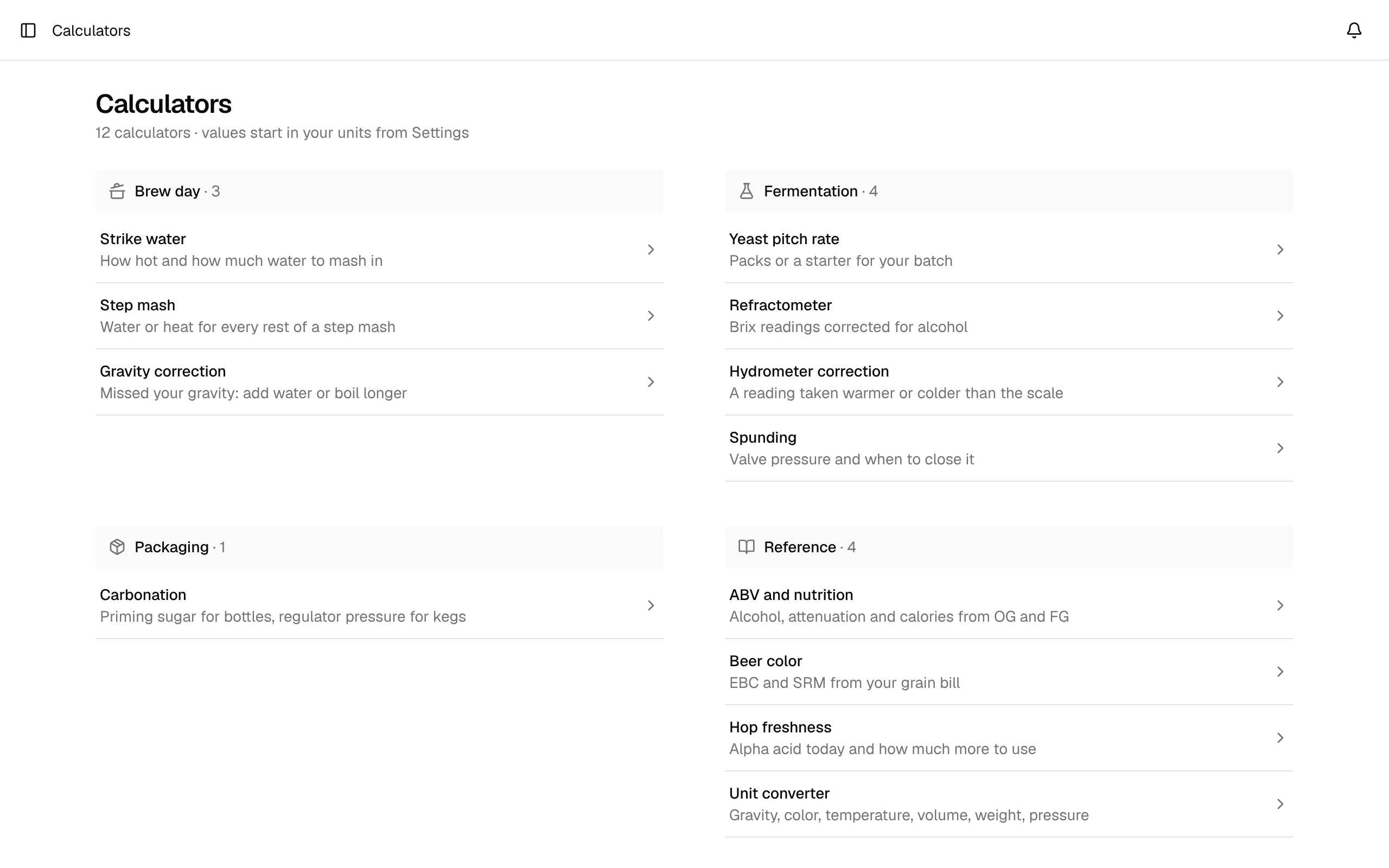
You find them under Calculators in the sidebar. The page lists them grouped by when you need them (Brew day, Fermentation, Packaging, Reference), each with one line on what it answers. Every calculator opens on its own page with its own address (/calculators/yeast-pitch-rate), so you can bookmark the one you use most. Older links like /calculators?tab=yeast still work.
Each calculator page looks the same: your inputs on the left, the answer on the right as one big number with a short explanation and a few more results below. How it's calculated, tips and reference tables sit in folds under the answer; open the ones you need, and BrewForge remembers which folds you keep open. Some calculators have a switch above the inputs for their two modes (for example Add water or Boil longer), and list entries such as mash rests or malts open in a small dialog. On a phone the inputs come first; while the answer is scrolled out of view, it stays pinned at the bottom of the screen.
The calculators are available on every plan, including Free. They start with your unit preferences from Settings (gravity in SG or °Plato, °C or °F, liters or gallons, CO₂ in volumes or g/L), and most have a Units button in the bar of their first section, so you can work in another unit without changing your settings. Switching converts the values you already entered. Nothing you enter is saved to your recipes or brews.
Coming from another brewing app?
If you used the tools in Brewfather, Brewer's Friend or BeerSmith, you'll find the familiar calculators here. Every page below shows the exact formula BrewForge uses, so you can compare results.
All calculators
| Group | Calculator (as named in the app) | What it answers |
|---|---|---|
| Brew day | Strike water | Strike water temperature and volume for the mash-in |
| Brew day | Step mash | Hot water or decoction for each rest of a step mash |
| Brew day | Gravity correction | Water to add or extra boil time to hit a target gravity |
| Fermentation | Yeast pitch rate | Cells needed, viability, starter size or number of packs |
| Fermentation | Refractometer | Real gravity and ABV from Brix readings of fermenting beer |
| Fermentation | Hydrometer correction | The true gravity of a warm or cold sample |
| Fermentation | Spunding | Valve pressure and the gravity at which to close the fermenter |
| Packaging | Carbonation | Sugar for bottling, regulator pressure for kegs |
| Reference | ABV and nutrition | Alcohol, attenuation, calories and carbs from OG and FG |
| Reference | Beer color | EBC and SRM of the finished beer from the grain bill |
| Reference | Hop freshness | Alpha acid left in stored hops and how much more to use |
| Reference | Unit converter | SG, °Plato, Brix, SRM, EBC, °L, temperature, volume, weight, pressure |
How the numbers are calculated
Every calculator has a How it's calculated fold in the app, and every page here has a formula box with the formula from the app's code, its constants and a worked example. The calculators use the same code as the rest of BrewForge, so the ABV, strike temperature or priming sugar you see here matches what your recipes and brews show.
Without an account
The same calculators are free on the website at brewforge.sh/brewing-calculators, and as a JSON API for scripts and AI assistants: see the Calculator API.