Hydrometer Temperature Correction
Correct a hydrometer reading taken at the wrong temperature: enter the reading, sample temperature and calibration temperature to get the true gravity, plus a correction table.
A hydrometer is accurate only at the temperature it was calibrated for, usually 20 °C (68 °F) or 15.6 °C (60 °F). A warm sample is less dense, the hydrometer sinks deeper and reads low. This calculator gives you the reading your sample would show at the calibration temperature.
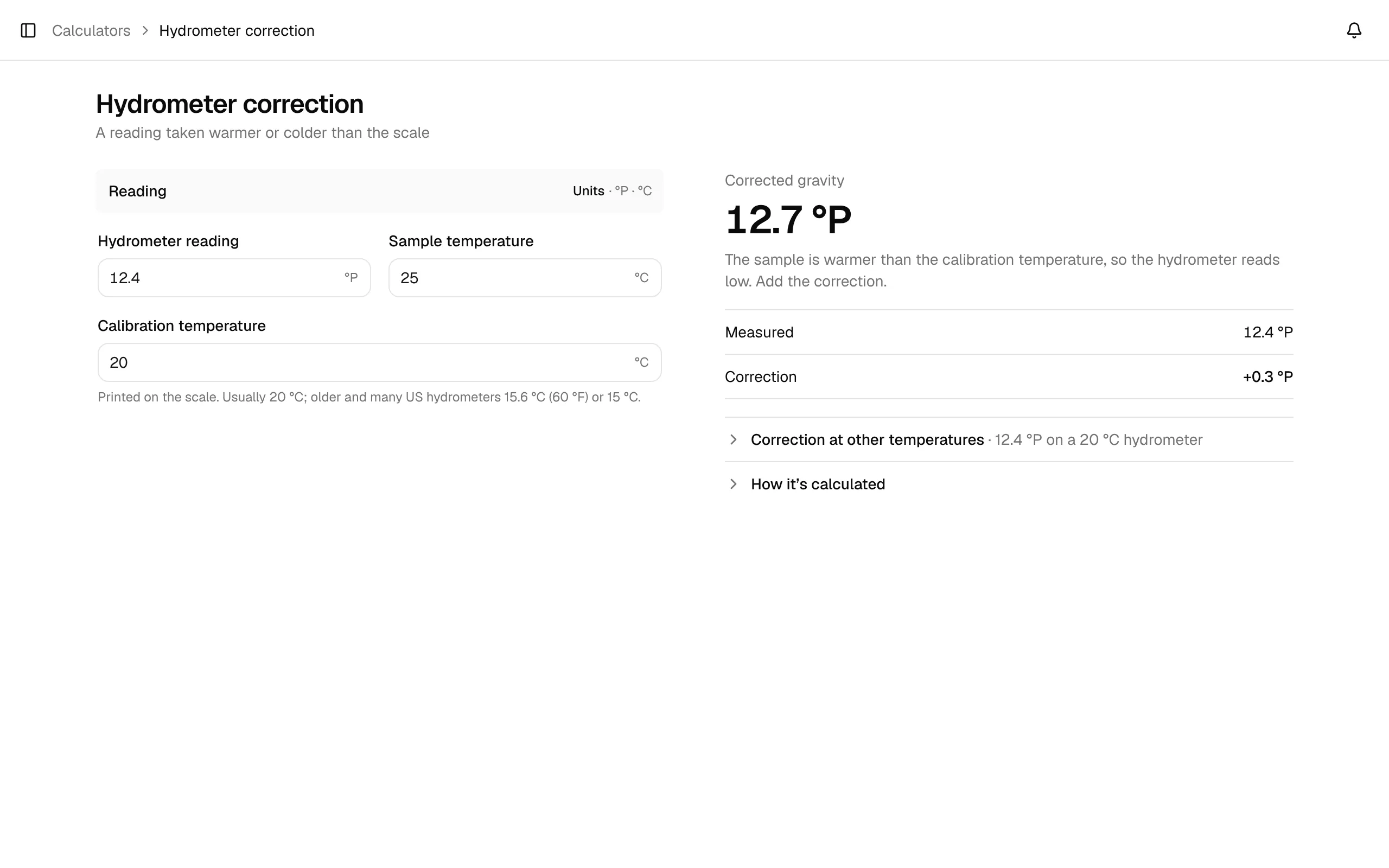
Open it with Calculators in the sidebar → Hydrometer correction.
Inputs
All inputs sit in the Reading section. Its Units button switches the gravity between SG and °P and the temperatures between °C and °F; it starts with your settings and converts the values you entered.
| Field | What to enter |
|---|---|
| Hydrometer reading | The number on the scale at the surface of the sample. |
| Sample temperature | The temperature of the sample when you read it. |
| Calibration temperature | Printed on the scale. Usually 20 °C; older and many US hydrometers 15.6 °C (60 °F) or 15 °C. |
The calculator accepts readings from 0.980 to 1.200 SG and temperatures from 0 to 100 °C (32 to 212 °F). Outside that range the field is marked and the answer tells you the allowed range.
Results
- The big number: Corrected gravity, the reading at the calibration temperature. The line below explains the direction: a warmer sample reads low (add the correction), a colder one slightly high.
- Measured: your reading.
- Correction: the difference, in gravity points (
+1.2 pts) for SG or in °P.
Above 35 °C (95 °F) the calculator warns you: the correction gets large and less reliable. Cool the sample and measure again.
Two folds under the results:
- Correction at other temperatures: the correction for your reading on your hydrometer at common sample temperatures, from 10 to 60 °C (50 to 140 °F). The row closest to your sample temperature is highlighted.
- How it's calculated: the formulas.
The correction is the ratio of a water-density polynomial at both temperatures (temperatures in °F):
F(T) = 1.00130346 − 0.000134722124 × T + 0.00000204052596 × T² − 0.00000000232820948 × T³
corrected SG = measured SG × F(sample temperature) / F(calibration temperature)
Readings in °Plato are converted to SG, corrected and converted back.
Example (the defaults): 12.4 °P (1.050) read at 25 °C (77 °F) on a hydrometer calibrated at 20 °C (68 °F). F(77) = 1.001965, F(68) = 1.000846, so the corrected gravity is 1.050 × 1.001965 / 1.000846 ≈ 1.0512 (12.7 °P), a correction of +1.2 points (+0.3 °P). The same reading at 30 °C (86 °F) corrects to about 1.0526, +2.6 points (+0.6 °P).
Related
- ABV calculator: enter the corrected readings there.
- Calculator API:
GET /api/public/calc/hydrometer-correction