Mash steps
The BrewForge mash step dialog in detail: temperature, infusion and decoction steps, strike water and strike temperature, infusion water, decoction volume, ramp time, heat loss and the formulas behind every calculated value.
The mash schedule of a recipe is a list of steps in the Mash section of the Recipe tab. Each step is one rest: a temperature you reach and hold for a while. Click a step to open the Edit mash step dialog, or + (Add step) in the section header to add one at the end. The same dialog edits the steps of a mash profile.
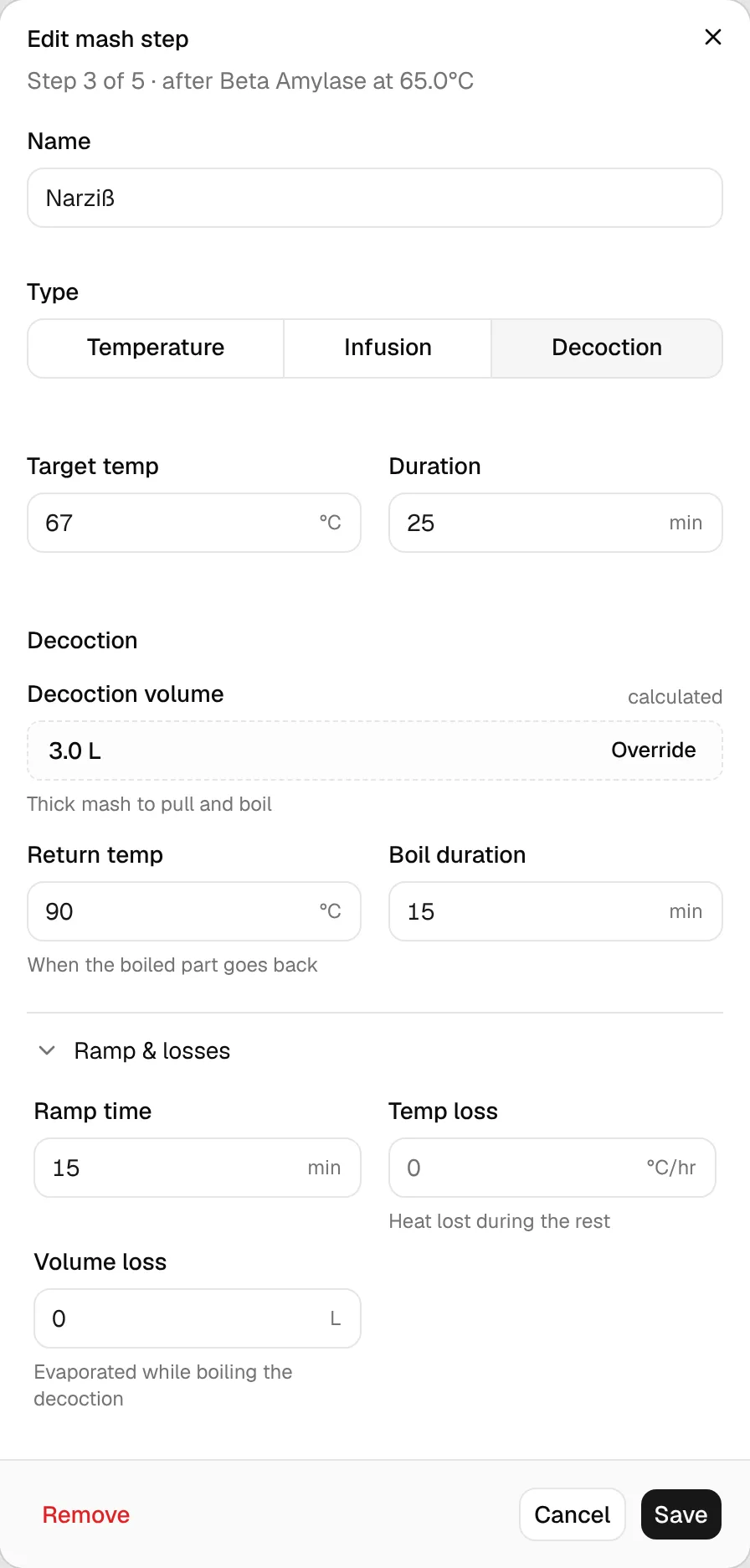
The line under the title tells you where the step sits: Step 3 of 5 · after Beta Amylase at 65.0°C. For the first step it shows the grain temperature instead (grain at 20.0°C), because that is what the mash starts from.
Fields every step has
| Field | What it means |
|---|---|
| Name | Free text, for example "Mash In", "Beta Amylase" or "Mash Out". Steps without a name show as "Mash step 2" in the list. |
| Type | How the mash gets to the target: Temperature, Infusion or Decoction (see below). |
| Target temp | The rest temperature. |
| Duration | How long the rest lasts, in minutes. Ramp time is not included. |
Save (or Add step for a new one) applies the change to the recipe, Cancel discards it and Remove deletes the step.
Step types
Temperature
You heat the mash directly (kettle, RIMS, HERMS) to the target. Nothing is added or taken out, so there is nothing to calculate. Under Ramp & losses, Ramp time is how long heating takes; it counts towards the total mash time and the temperature chart.
A temperature step as the first step is a plain mash-in: the strike water goes in, and the mash starts at the step's temperature.
Infusion
You raise the temperature by adding hot water. What the dialog shows depends on where the step is:
-
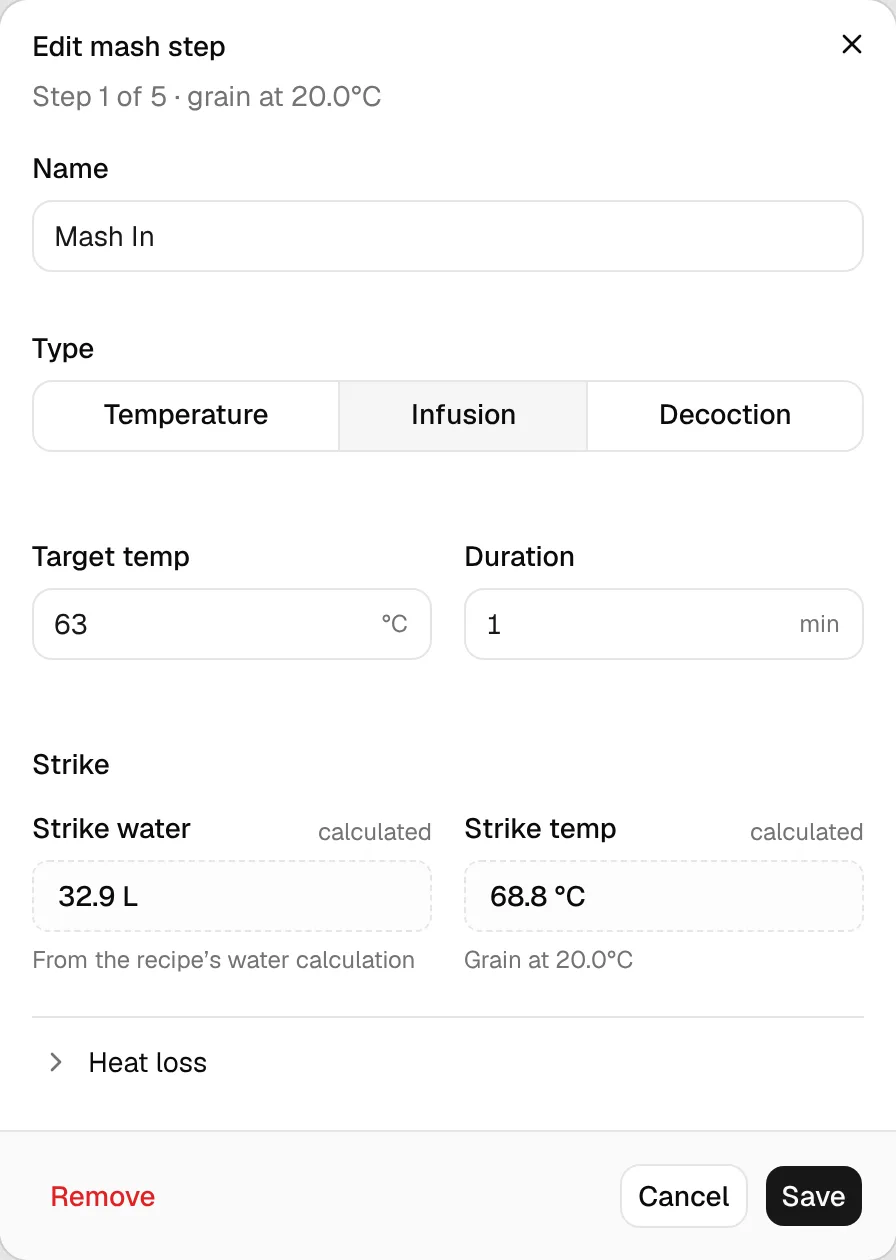
First step: Strike. The infusion is your mash-in. The group is called Strike and shows the Strike water (from the recipe's water calculation, see Volumes) and the Strike temp, the water temperature that lands the mash on the target with the grain at its temperature. Both are calculated and can't be overridden here: change the strike water with the water-to-grain ratio in Recipe settings or the equipment profile.
-
Later steps. Infusion water is how much hot water to add, calculated from the mash temperature before the step (Raises the mash from 63.0°C), the water already in the mash and the grain. Water temp is the temperature of that water, 100 °C by default. Click Override to type your own amount; the label then reads override, and Reset to auto goes back to the calculated value.
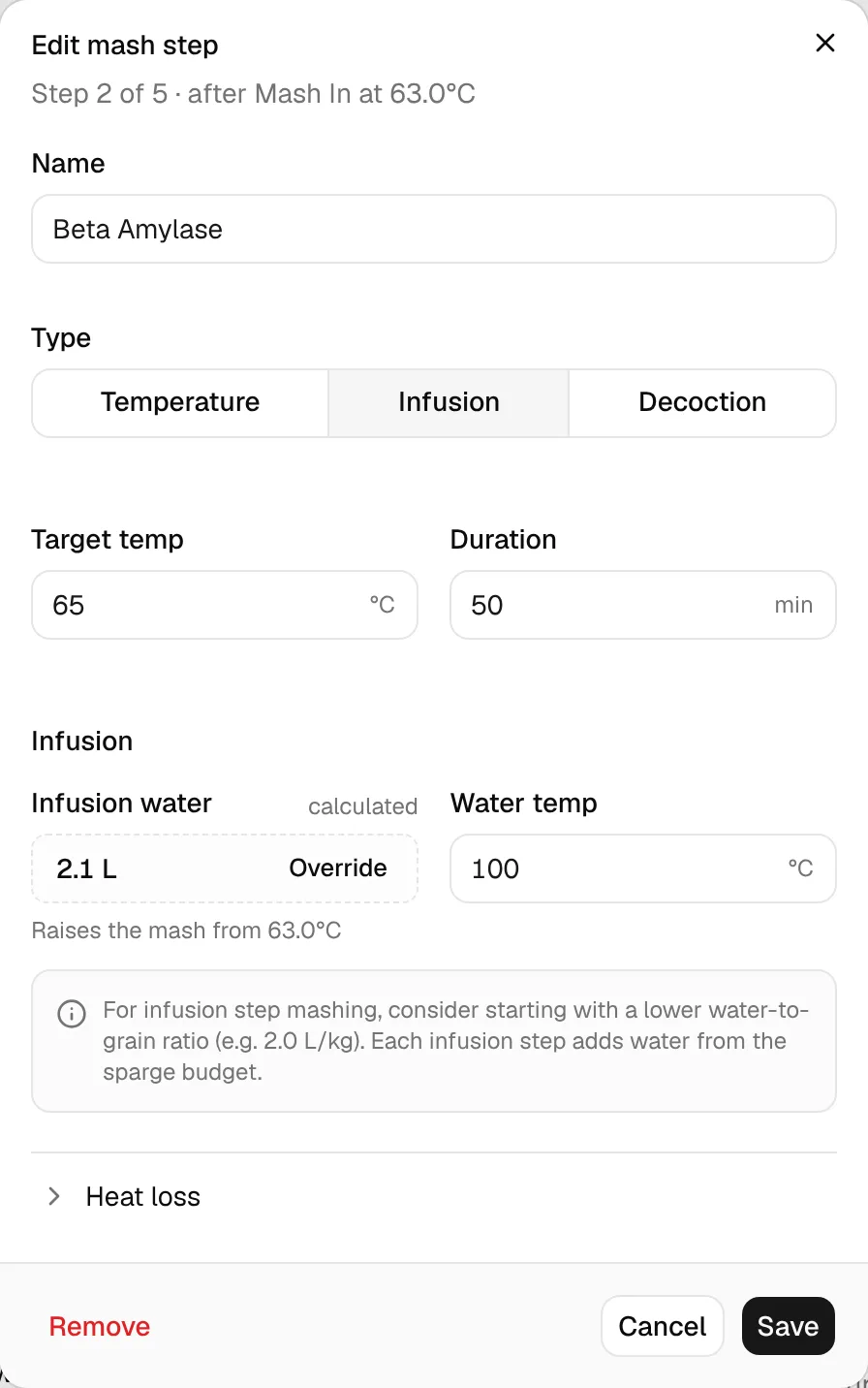
If your mash starts thinner than 2.0 L/kg, a later infusion step shows a hint to start with a lower water-to-grain ratio: every infusion adds water that is taken from the sparge water.
strike temp = target + 0.4 / ratio × (target − grain temp) + tun thermal mass / strike L × (target − grain temp), rounded to whole degrees
ratiois all strike water per kg grain, dead space included (the recipe's water-to-grain ratio when there is no grain or water yet).0.4is the specific heat of grain relative to water.- The tun thermal mass (L water equivalent) comes from the equipment profile; without one the last term is 0.
The dialog and the Strike line under the mash section use the same function, so they always show the same value. From calculateRecipeStrikeTemperature in lib/brewing/water.ts (called by getMashStepSuggestions and computeBrewValues).
Example: 63 °C target, grain at 20 °C, 15 L strike water on 5 kg (3.0 L/kg), no tun mass → 63 + 0.4 / 3 × 43 = 68.7 → 69 °C. With a tun of 0.75 L: + 0.75 / 15 × 43 = 70.9 → 71 °C.
The Strike line also exists when the first step isn't an infusion: the strike water then goes in at the first step's temperature. See Brew calculations → Mash.
infusion L = (target − mash temp) × (water L + 0.4 × grain kg) / (water temp − target)
mash tempis the previous step's target minus its heat loss over its rest:previous target − temp loss × previous duration / 60.water Lis the water in the mash before the step: the strike water plus the infusion water of earlier steps (your override or the calculated amount), minus what earlier decoctions boiled off. This is the same calculation as the step list, so the dialog and the list show the same amounts.- Nothing is suggested when the target isn't above the mash temperature, or when the water isn't hotter than the target.
From calculateInfusionVolume and calculateMashSchedule in lib/brewing/rest.ts.
Example: 5 kg grain, 15 L strike water, previous rest 63 °C for 30 min with 2 °C/hr loss → mash at 62 °C. For 72 °C with boiling water: (72 − 62) × (15 + 2) / (100 − 72) = 6.1 L.
In the recipe, every later infusion is taken from the sparge water. The mash details under the section show Infusions from sparge (how much was added and how much sparge water is left), and a red warning says when an infusion step uses up more water than the sparge has left.
Decoction
You pull part of the thick mash, heat and boil it separately and stir it back in. The Decoction group shows:
- Decoction volume: the thick mash to pull and boil, calculated; Override sets your own. A decoction as the first step has nothing to pull from (The first step has no mash to pull from).
- Return temp: the temperature of the boiled part when it goes back, 98 °C by default.
- Boil duration: how long you boil the decoction, 15 min by default.
Under Ramp & losses, Ramp time is how long heating the decoction takes and Volume loss what evaporates while boiling it.
Ramp time and boil duration together are how early you have to pull the decoction. The step list shows it ("Decoction 3.0 L, pull 30 min before"; without a ramp time BrewForge assumes 10 min), and a warning appears when the rests before it are too short. That check is explained under Mash profiles → Decoction timing warning.
heat needed = (target − mash temp) × (water L + 0.4 × grain kg) + volume loss × (return temp − target)
thermal volume = heat needed / (return temp − mash temp)
decoction L = thermal volume × (water L + 0.67 × grain kg) / (water L + 0.4 × grain kg)
Thick mash also holds the grain's own volume (0.67 L per kg) but only 0.4 L of water-equivalent heat per kg, so you pull more than the thermal volume. From calculateDecoctionVolume in lib/brewing/rest.ts.
Example: 5 kg grain, 15 L water, mash at 63 °C, target 72 °C, return at 98 °C, no volume loss: 9 × 17 / 35 = 4.37 L thermal, × 18.35 / 17 = 4.7 L to pull. With 0.5 L evaporation: (153 + 0.5 × 26) / 35 × 1.079 = 5.1 L.
Ramp & losses
The fold at the bottom is called Ramp & losses for temperature and decoction steps and Heat loss for infusions. Its summary shows what is set ("ramp 15 min · loss 1.50 °C/hr · boil-off 0.5 L").
| Field | Steps | What it does |
|---|---|---|
| Ramp time | Temperature, Decoction | Minutes to reach the target. Adds to the total mash time and the chart. |
| Temp loss | all | Degrees lost per hour during the rest. The next step starts from target − temp loss × duration / 60, which raises its infusion water or decoction volume. |
| Volume loss | Decoction | Litres evaporated while boiling the decoction. It increases the decoction volume and leaves the mash with less water for later steps. |
Example: a 63 °C rest of 30 minutes with Temp loss 2 °C/hr ends at 63 − 2 × 30 / 60 = 62 °C.
Mash-out and sparge
A mash-out is an ordinary step, usually a Temperature step at 76–78 °C (the templates call it "Mash Out"). The sparge itself is not a mash step: the sparge water volume comes from the volume calculation, and its temperature, Sparge temp, from the equipment profile. Both show in the mash details under the section, next to Grain temp, Strike temp, the mash pH and the Water:grain ratio.
Related
- Water helpers: conductivity, volume and metabisulfite calculators in the water dialog.
- Step mash calculator: plan a step mash without a recipe.
- Strike water calculator: a single rest.
- Mash profiles: save a schedule for other recipes.