Threads, votes and replies
Read a BrewForge feedback thread: summary, statuses, labels and links, voting on feature requests, following, replies, accepted answers, editing, reporting and notifications.
A thread page shows the request or question, what the team made of it, and the discussion.
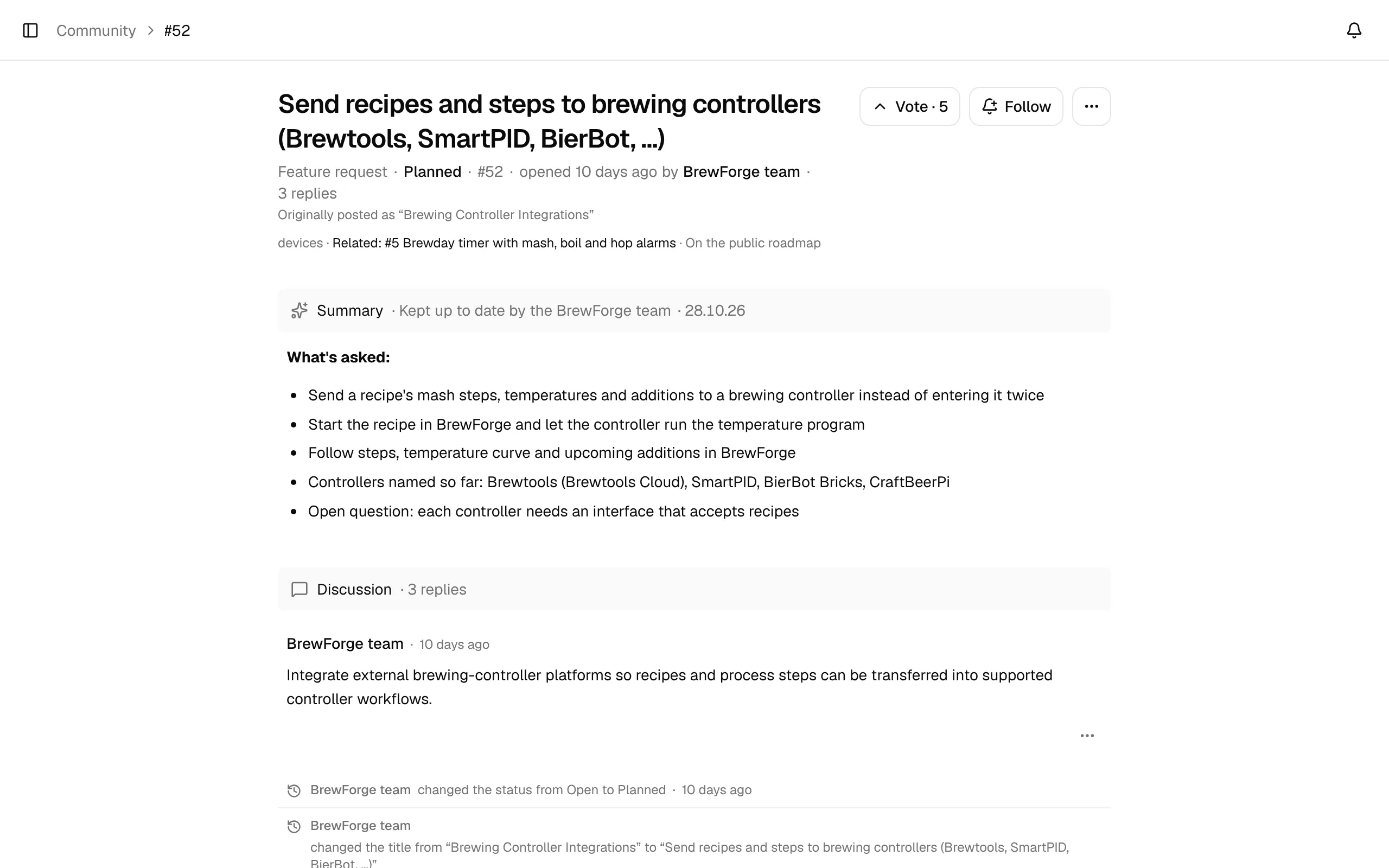
The header
Under the title, one line says what kind of thread it is (Feature request or Question), its status, its number, when and by whom it was opened, and how many replies it has. When the team renamed the thread, Originally posted as "…" shows the first title.
A second, muted line lists:
- the thread's labels, such as
core-brewing,inventory,cellar,devices,calculators,import-exportorplatformfor the area, and topics likemobile,waterorfermentation. The team sets them. - Related threads (
Related: #5 …), and links to a changelog entry or a GitHub issue. - On the public roadmap when the thread is listed on the public roadmap.
When a thread was declined or merged, a Why: line gives the team's reason.
Summary
Many threads have a Summary at the top, kept up to date by the BrewForge team: what is asked, in short bullet points, and what BrewForge does today. It also appears in the list and on the roadmap, so you can judge a thread without reading every reply. Feature requests can also have a proposal and a questionnaire; see Your input.
Statuses
The team sets the status. You see the change in the thread's history, and followers get a notification.
Feature requests
| Status | Meaning |
|---|---|
| Open | New, not looked at in depth yet. |
| Under review | The team is looking into it and collecting use cases. |
| Planned | It will be built. |
| In progress | It is being built. |
| Shipped | It is in BrewForge. The thread shows the ship date and often links the changelog entry. |
| Declined | It won't be built; the reason is shown. |
| Merged | Same idea as another thread; see below. |
Voting closes once a request is Shipped, Declined or Merged.
Questions are Open, Answered (an answer was accepted), Closed or Merged.
Merged threads
When two threads ask for the same thing, the team merges one into the other. The merged thread shows Merged and points to the thread it went into; you can't reply there anymore. In the remaining thread, the merged thread's posts appear in a fold (Merged #N: title), and its votes count for the remaining thread. If you voted for both, your vote counts once.
Vote for a feature request
Click Vote next to the title. The button shows the current count and turns into Voted once you voted; click it again to take your vote back. The list and the roadmap show You voted on threads you voted for, and Upvoted by me in the Filter menu lists them.
Voting on feature requests is for Basic and Pro members and trials. On the free plan, the button explains this and offers Upgrade to vote. Questions have no votes.
Follow a thread
Click Follow to get a notification when someone replies, the status changes or an answer is accepted. You follow a thread automatically when you start it, reply to it or vote for it. Click Following to stop.
Notifications
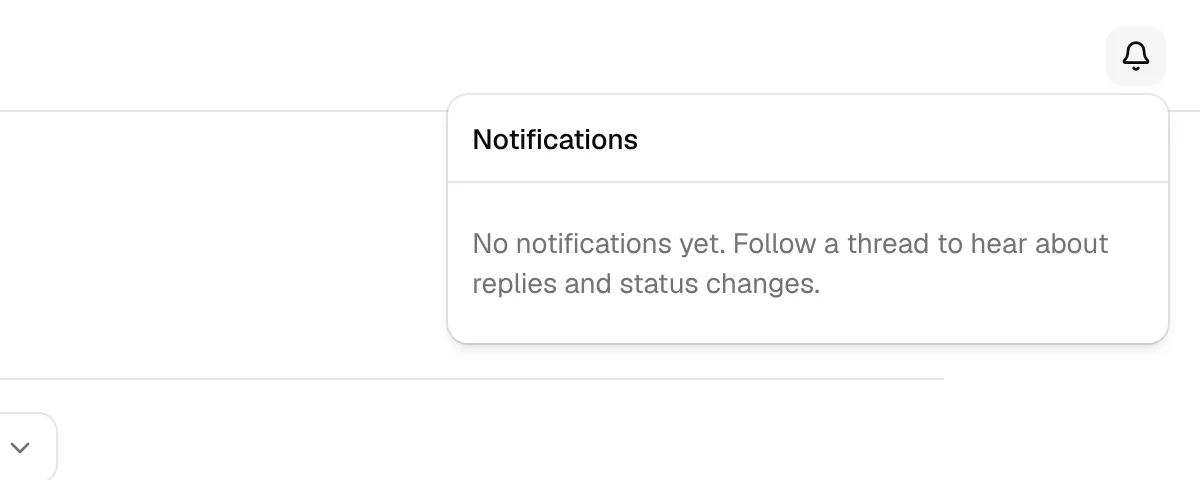
The bell at the top right of every page shows feedback notifications and the number of unread ones. Click it to see the latest 20, unread ones marked with a dot: … replied to …, … is now Planned, An answer was accepted on …. Each one opens the thread at the right place. Mark all as read marks them all as read. There are no email notifications.
The ⋯ menu
The ⋯ button next to Follow has Copy link and Suggest a duplicate…. If you have seen the same idea in another thread, enter its Thread number and click Suggest; the team checks it and merges the threads if they match. The other thread has to be in the same section (feature request or question).
Replies
Write in the Reply box at the bottom and click Reply. Replies follow the same check before publishing and limits as new threads. Feature requests show the replies under Discussion, questions under Answers. Between the replies, the history shows what changed: status, title, summary, labels, links, merges.
Under each reply, the arrows vote it up or down; the number is its score. You can't vote on your own replies. Replies with a score of −3 or lower are collapsed (Low-scored reply. Show it).
Accepted answers
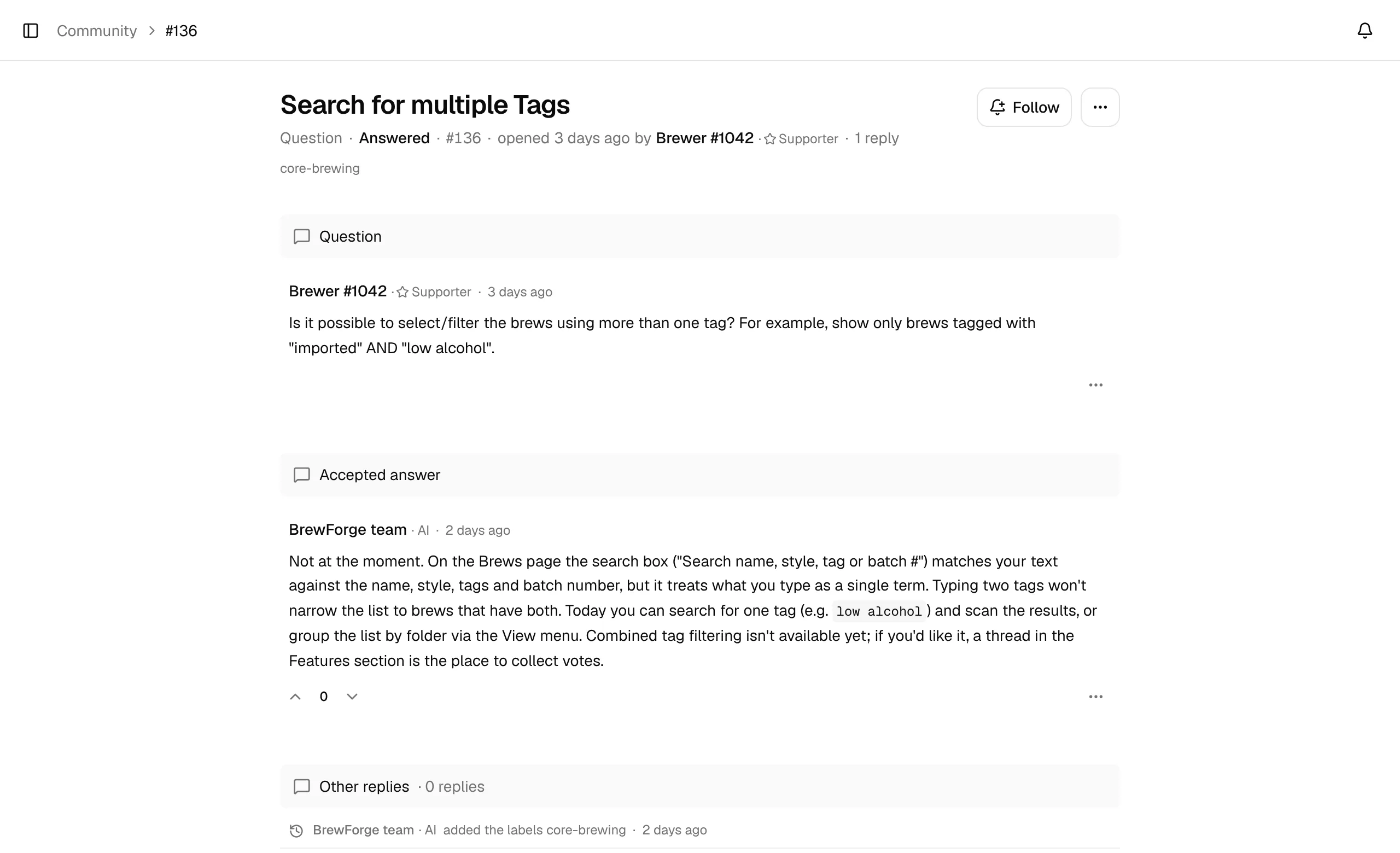
On a question you asked, click Mark as answer under the reply that solved it. The reply moves to the top under Accepted answer, the other replies show under Other replies, and the thread becomes Answered. Unmark answer sets it back to Open. The team can mark an answer too.
Edit, delete or report a post
The ⋯ under a post has the actions:
- Edit (your own posts): change the text, and for the first post of your thread also the title. A changed post may be checked again. While an edit waits for review, others see the earlier version, and you can Discard edit.
- Delete… (your own posts): the post is replaced by Deleted by author. This can't be undone.
- Report… (other people's posts): pick a Reason (insult or harassment, hate or discrimination, sexual content, spam or advertising, personal data, off topic, something else), add details if you like and click Send report. A post reported by three members is hidden until the team reviews it.