Roadmap
See what BrewForge is reviewing, planning, building and has shipped: the roadmap in Feedback, and the public roadmap at brewforge.sh/m/roadmap.
The roadmap is built from the feature requests in Feedback. When the team moves a request to Under review, Planned, In progress or Shipped, it shows up on the roadmap; votes decide the order. There are two versions: the Roadmap tab in Feedback for members, and a public page for everyone.
The Roadmap tab
Open Feedback and click Roadmap, or go to /feedback/roadmap.
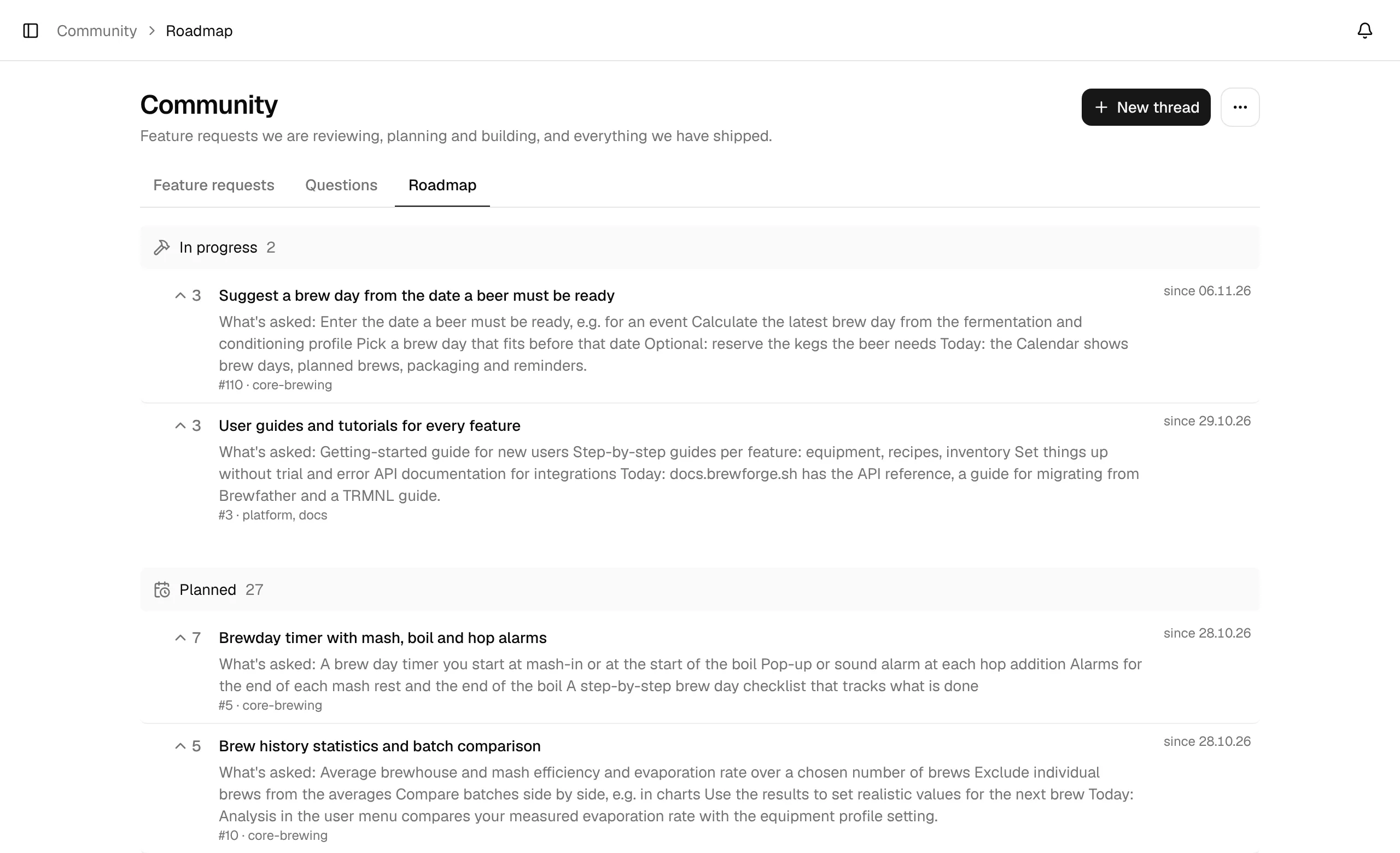
The roadmap has four stages, each with the number of feature requests in it:
| Stage | Contains |
|---|---|
| In progress | Requests that are being built. |
| Planned | Requests that will be built. |
| Under review | Requests the team is looking into. |
| Shipped | Requests that are in BrewForge, marked newest first. |
Within a stage, the requests with the most votes come first. Each row shows the votes (with You voted if you did), the title, the team's summary, the thread number and labels, and on the right since when it has been in that stage (since 28.10.26). Click a row to open the thread, read the discussion and vote.
Long stages show the first rows and a Show N more button; Show fewer folds them again. A stage without requests says so, for example Nothing in progress right now.
Merged threads and declined requests aren't on the roadmap.
The public roadmap
The public roadmap at brewforge.sh/m/roadmap shows the roadmap to people without an account. Open it from Feedback with ⋯ → Public roadmap.
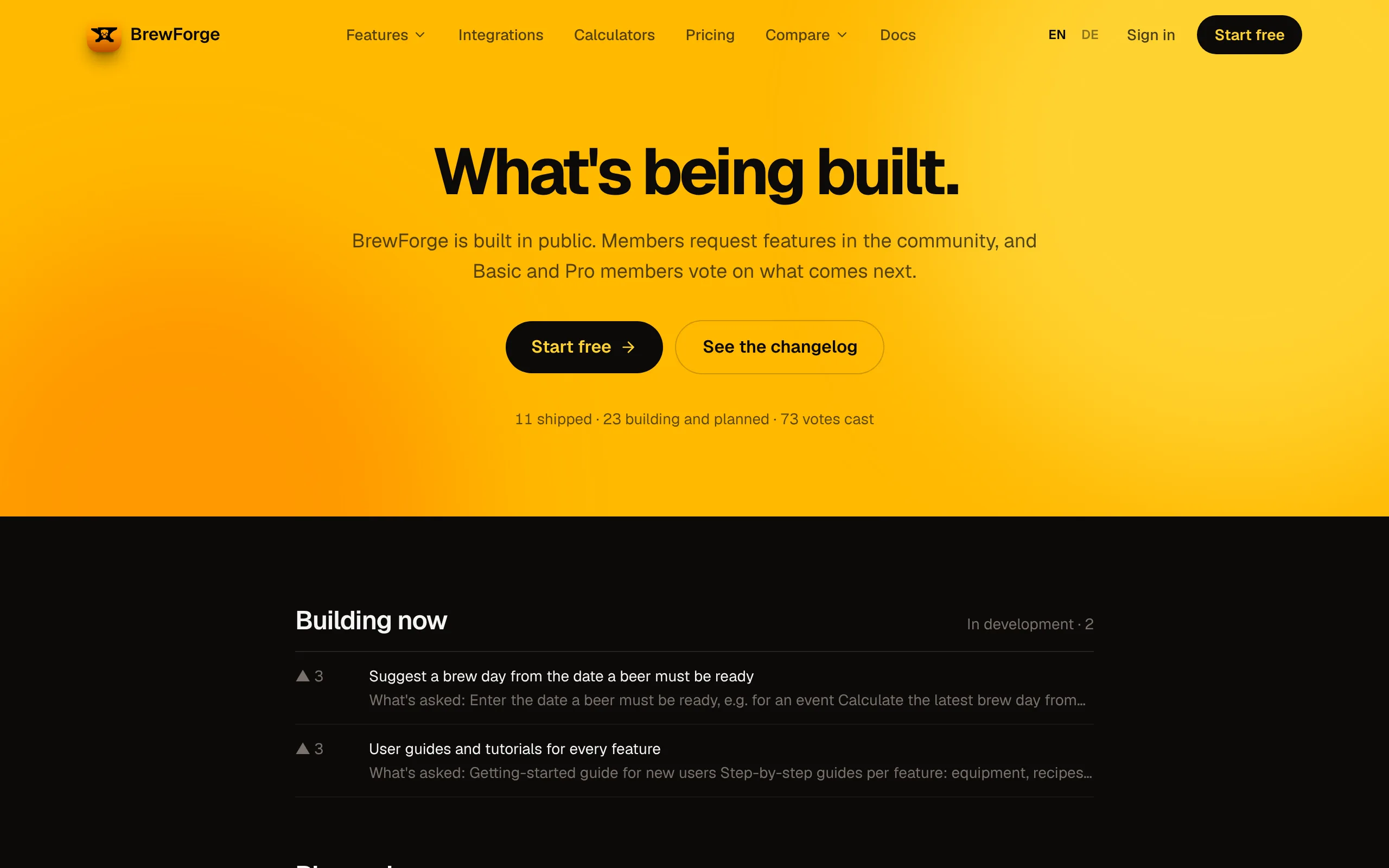
It lists only the requests the team has put on the public roadmap; a thread on it says On the public roadmap. The stages have other names there:
| Public roadmap | Feedback status |
|---|---|
| Building now | In progress |
| Planned | Planned |
| Exploring | Under review |
| Shipped | Shipped |
Each row has the title, one line of the summary and the vote count (empty while a request has no votes). The line under the heading counts shipped requests, requests being built or planned, and all votes cast. Stages with many requests show the first 8 and + N more. The page is in English and is refreshed about once a day, so a status change can take until the next day to show there.
To vote or comment, sign in and open the request in Feedback.