Add a device
Create a device in BrewForge in three steps (device type, name, connect) and copy its webhook URL into your hydrometer, bridge or sensor.
Add device on the Devices page opens a dialog with three steps. The step line at the top shows where you are; Back returns to the previous step.
Device. Pick the type that matches how your device sends data. Each type has a one-line description, so you can tell a single Tilt from a Tilt Bridge. Click Next.
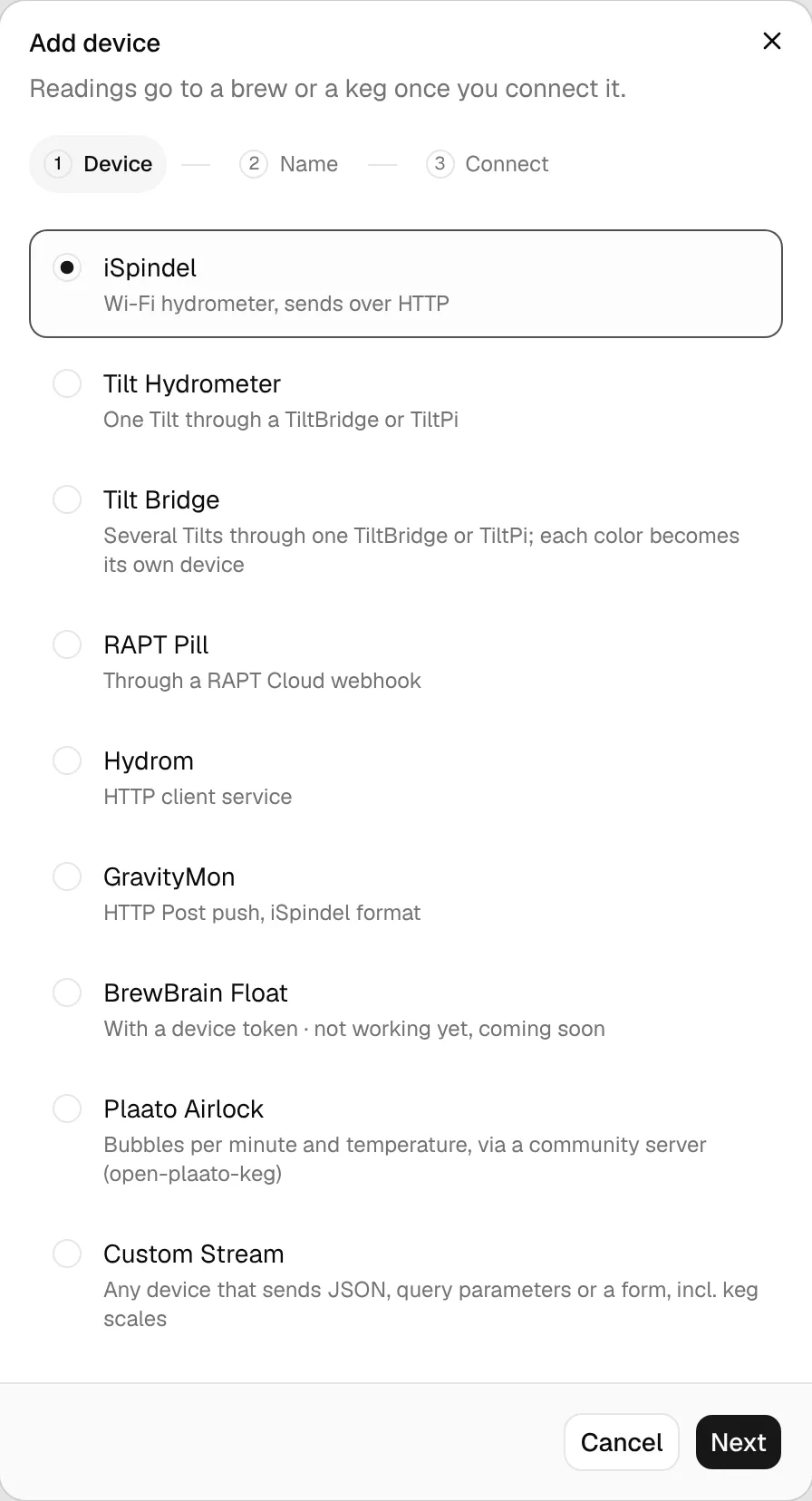
Name. Give the device a name you will recognize, for example iSpindel Green or Red Tilt. It is only shown in BrewForge. For a Custom Stream this step is called Name & mapping, and you also tell BrewForge which payload fields to read (Custom Stream). Click Create device.
Connect. The device now exists. BrewForge shows its webhook URL with a copy button, the numbered setup steps for that device type and, for a RAPT Pill, the payload to paste. Copy the URL into your device.
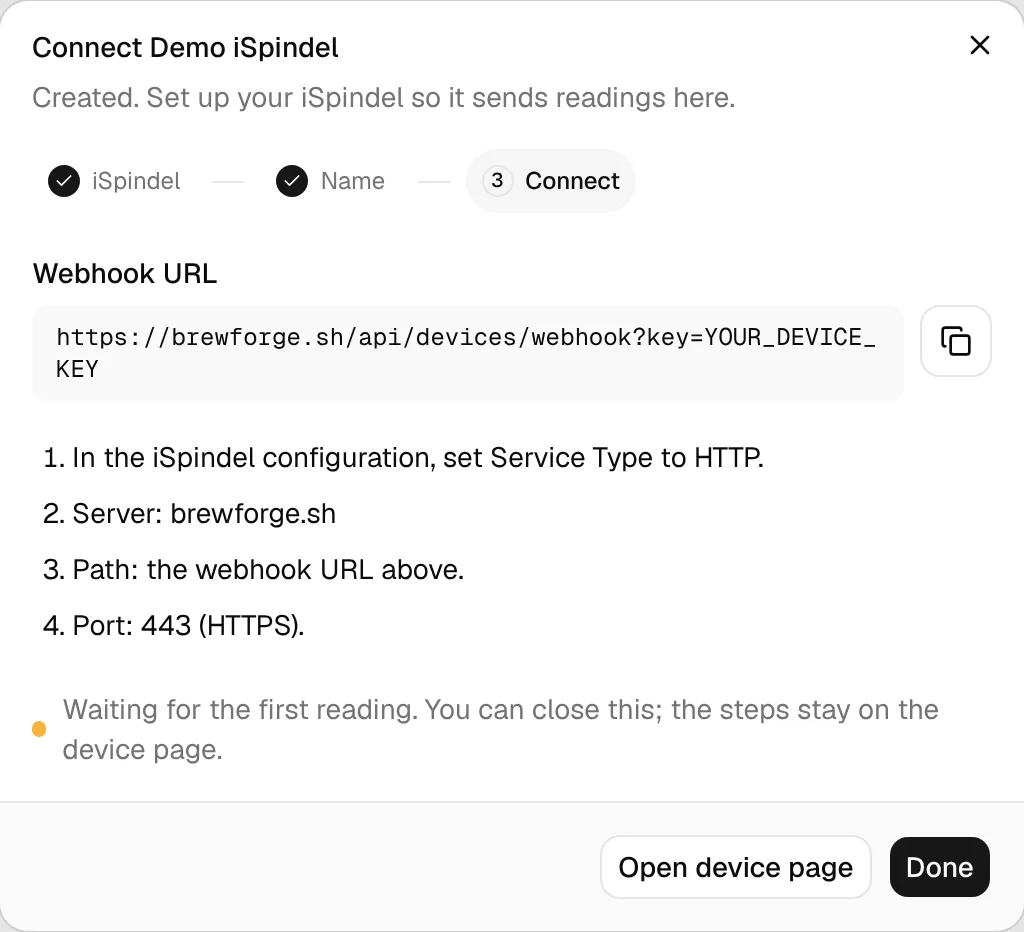
At the bottom the dialog says it is waiting for the first reading. You don't have to wait: close it with Done, or click Open device page to go straight to the device page. The URL and the setup steps stay there.
If creating fails, the dialog says nothing was saved and the button turns into Try again.
Device types
Pick the type that matches how your device sends data, because BrewForge reads each type's data format differently:
| Type | Use it for | Setup guide |
|---|---|---|
| iSpindel | A WiFi hydrometer that sends over HTTP | iSpindel |
| Tilt Hydrometer | One Tilt through a TiltBridge or TiltPi | Tilt |
| Tilt Bridge | Several Tilts through one TiltBridge or TiltPi; each color becomes its own device | Tilt |
| RAPT Pill | A Pill through a RAPT Cloud webhook | RAPT Pill |
| Hydrom | The Hydrom's HTTP client service | Hydrom |
| GravityMon | GravityMon's HTTP Post push in iSpindel format | GravityMon |
| BrewBrain Float | A device token instead of a URL; not working yet | BrewBrain Float |
| Plaato Airlock | Bubbles per minute and temperature, through a community server (open-plaato-keg) | Plaato Airlock |
| Custom Stream | Any device that sends JSON, query parameters or a form, including keg scales | Custom Stream |
You can't change the type later. If you picked the wrong one, delete the device and add it again.
The webhook URL
Every device gets its own URL:
https://brewforge.sh/api/devices/webhook?key=YOUR_DEVICE_KEYThe key identifies the device and your account, so treat the URL like a password: anyone who has it can send readings to your device. BrewForge also accepts the key as a header instead of in the URL, which some tools prefer:
Authorization: Bearer YOUR_DEVICE_KEYThe endpoint accepts POST (and PUT) requests with JSON or form-encoded bodies of up to 64 KB.
To find the URL again, open the device page: Setup shows it with a copy button, and the ⋯ menu has Copy webhook URL. A BrewBrain Float shows a Device token instead.