The device page
Everything about one device in BrewForge: latest reading, recent data and stored payloads, what it is connected to, webhook URL and setup steps, name and gravity offset, and the device menu.
Click a device on the Devices page to open its page. It answers three questions: what did the device send last, where do its readings go, and how is it set up.
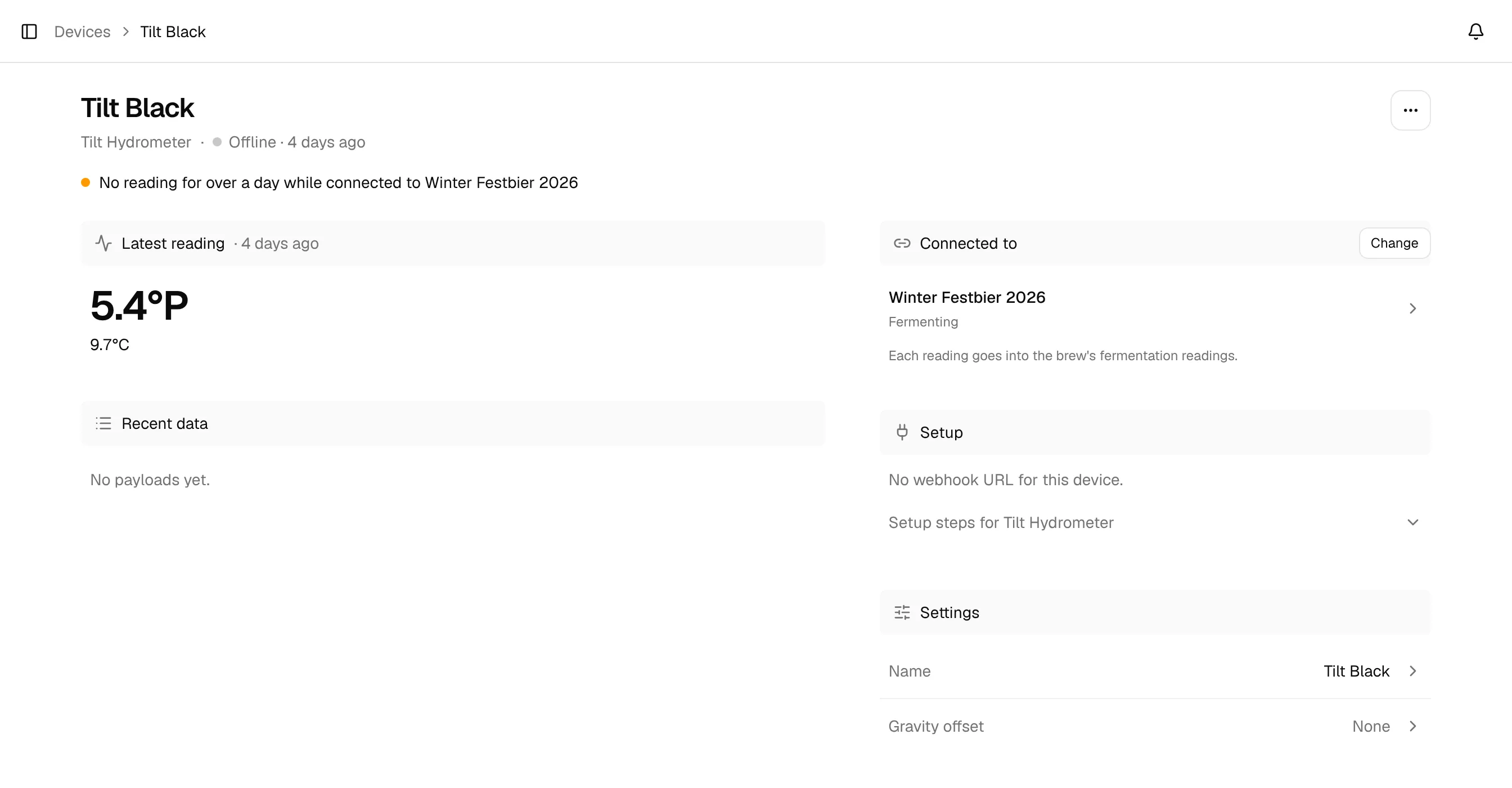
Under the name you see the device type (and for a Tilt from a bridge, via the bridge, which links to it) and its state: Online · …, Offline · … or Waiting for the first reading. An amber line below points out things to check:
- No reading for over a day while connected to …: the device stopped sending while it is connected to a brew or keg (troubleshooting).
- … recent payloads matched no field: a Custom Stream received payloads its mapping can't read.
Latest reading
The newest values in large: the gravity for a hydrometer, the weight or volume for a keg sensor, with the temperature and battery below. Battery values up to 5 are shown as a voltage (iSpindel, GravityMon), higher values as a percentage. If the device has a gravity offset, a small line says Includes your offset of … (sent …), so you see the value before and after calibration. For a keg sensor it says which keg it keeps up to date.
Recent data
The payloads BrewForge stored for the device, newest first, with how many there are in total. Each row has the time it was received, the values the device sent (only the columns that have data) and where it went under Logged to: the brew or keg, or Not logged. Show … more loads up to 10 older payloads.
Click a row to open the reading: its values, where it was logged, the Payload as received and, for a Custom Stream, How it was read (every mapped field with the value it was read as). Edit mapping opens the Custom Stream's mapping right from there.
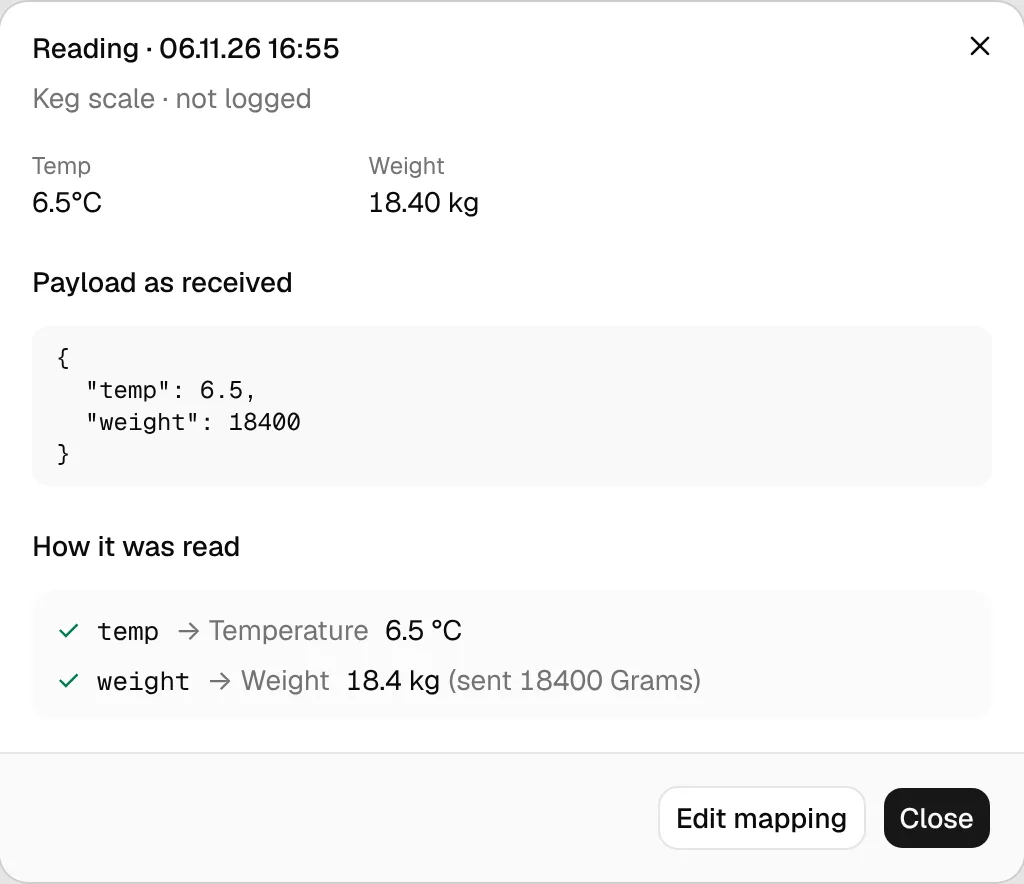
For a Custom Stream, rows whose payload matched none of your fields get an amber dot and say Nothing matched. Send test in the section bar posts a payload of your own to the device's webhook (details).
A device sending more often than every 14 minutes only stores one payload per 14 minutes; the others still update the latest reading (logging interval).
Connected to
Where the readings go: a brew (with its status) or a keg, with a link to it and a one-line explanation. Connect (or Change) opens the Connect dialog; see Fermentation tracking for brews and Keg sensors for kegs. A Tilt Bridge has no connection of its own; you connect each of its Tilts.
Setup
The device's webhook URL with a copy button (a Device token for a BrewBrain Float). Until the first reading arrives, the numbered setup steps for the device type are shown below it and the page says it updates when the first reading arrives. After that, the steps fold away under Setup steps for ….
If the page says No webhook URL for this device, the device has no key; add it again to get a URL.
Settings
- Name: opens Device settings to rename the device.
- Payload mapping (Custom Stream only): the format and how many fields are mapped; opens the mapping.
- Gravity offset: opens Device settings with the offset and a preview of the latest reading (calibration). Not shown for a Tilt Bridge, a Plaato Airlock or a Custom Stream without a gravity field.
The ⋯ menu
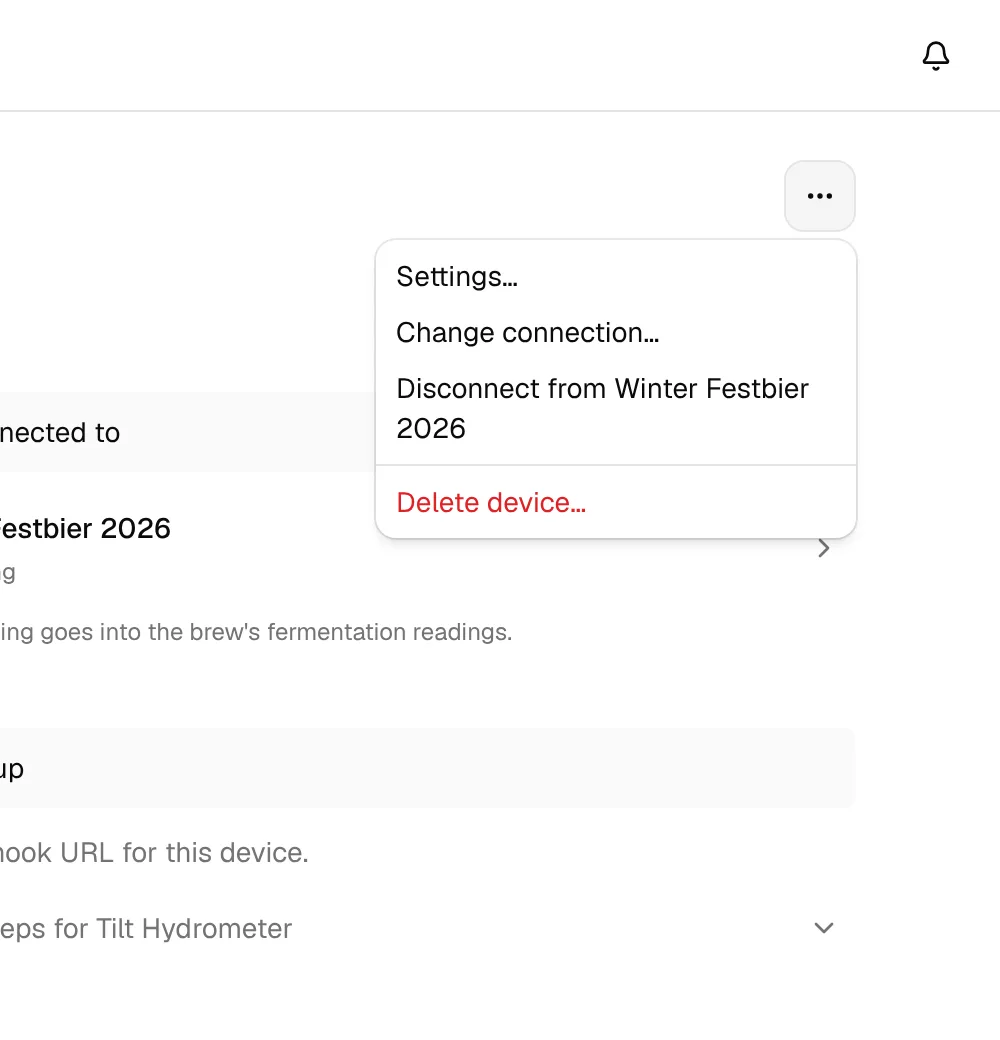
| Menu item | What it does |
|---|---|
| Settings… | Name and gravity offset. |
| Payload mapping… | Custom Stream only: edit the fields BrewForge reads. |
| Copy webhook URL | Copies the device's URL. |
| Send a test payload… | Custom Stream only: post a sample payload to the webhook. |
| Connect… / Change connection… | Connect the device to a brew or keg, or move it. |
| Disconnect from … | Stops sending readings to that brew or keg. The message has Undo. |
| Delete device… | Asks first, then deletes the device. |
Tilt Bridge page
A bridge only forwards readings, so its page lists its Tilts instead of readings. Each Tilt color the bridge sends is its own device: open it and connect it to a brew there. Setup and the bridge's name work like on any other device.
Delete a device
Delete device… says what goes with it: the device's stored payloads are deleted, readings already added to brews stay, and the webhook URL stops working. For a Tilt Bridge, its Tilts stay as separate devices. To use the hardware again later, add it again and paste the new URL.