Results tab
Record packaging volume and date, rate the beer and write tasting notes, see calories and carbs per bottle, score the beer with evaluations and see what the batch cost.
The Results tab is where a brew ends: how much beer you packaged and when, how it tastes, what others think of it, and what it cost. It is the tab a brew opens on once it is Completed or Archived.
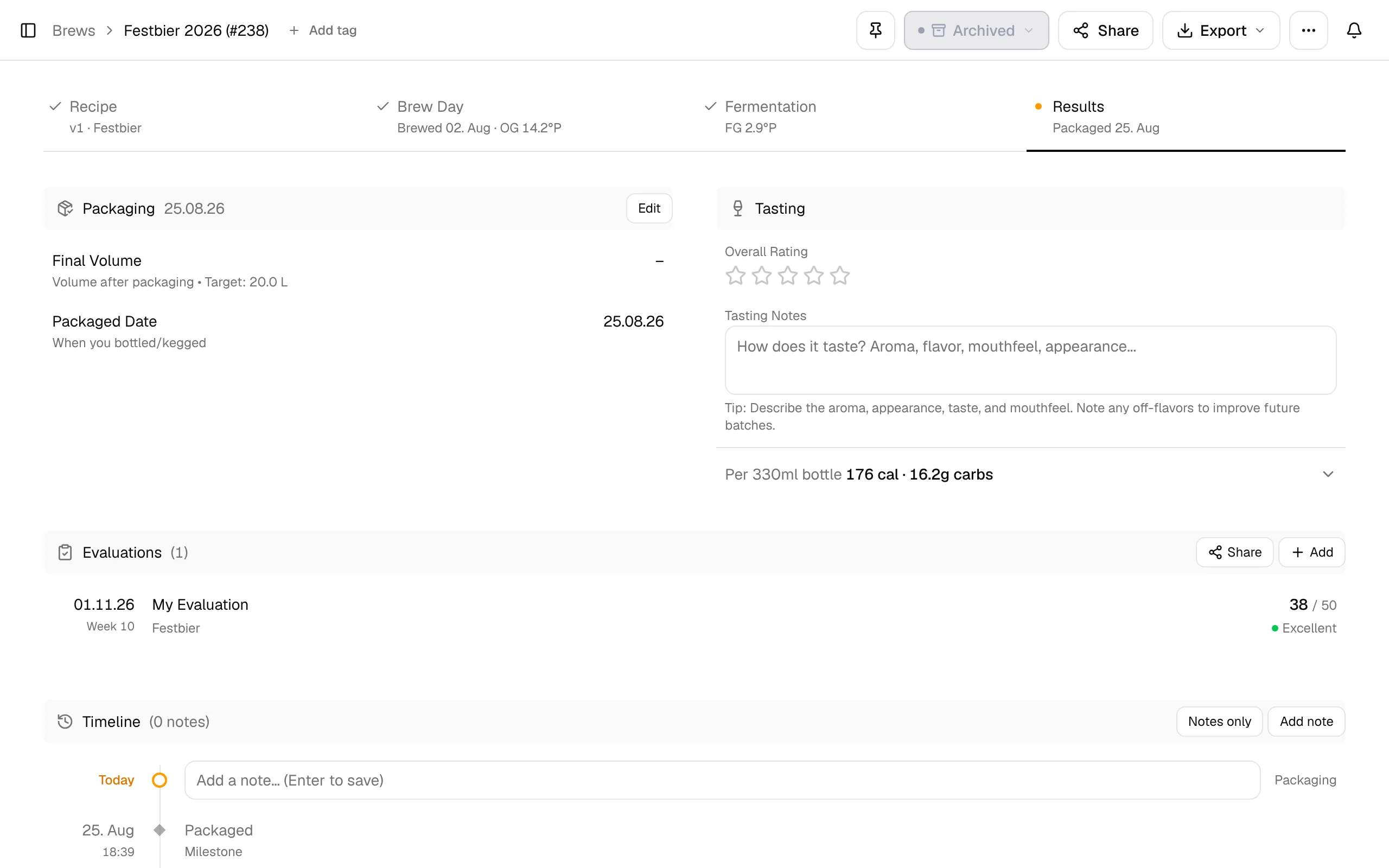
Packaging
Packaging holds two values. Click a row or Edit to change them:
- Final Volume: the volume after packaging. The target next to it is the fermenter volume minus the fermenter loss of your equipment, the same volume the cellar works with.
- Packaged Date: when you bottled or kegged.
With the cellar (Pro plan), use Package in the header instead: it records the kegs, bottles and cans and sets the packaged date when you package all of the beer.
The final volume is used for the batch cost per litre and for the priming sugar on the Fermentation tab.
Tasting
- Overall Rating: one to five stars, half stars included, from Needs work to Outstanding!. The rating also shows in the version history, so you can see which version of a recipe tasted best.
- Tasting Notes: aroma, appearance, taste, mouthfeel and any off-flavors, to improve the next batch.
- Once the brew is Completed, the section shows the beer's Age in days.
- Per 330ml bottle: calories and carbohydrates, based on the measured OG and FG. Expand it for a 12 oz serving.
age = today − conditioning start in days
Without a recorded conditioning start, BrewForge uses the brew date plus the length of all fermentation stages before the first conditioning stage. Example: brewed 1 Sep, 14 days of fermentation stages → age counts from 15 Sep.
The calorie formula is under Brew calculations.
Evaluations
Evaluations collects scores for the brew: your own and those of friends or judges you invite by link. There are three kinds:
- BJCP Scoresheet: the full 50-point sheet with aroma, appearance, flavor, mouthfeel and overall impression.
- Lagerbernd scoresheet: nine-step scales for each aspect, minus off-flavors; 60 points and a school grade.
- Simple Rating: stars with an optional comment and date.
Click Add to create one, or Invite to open the Share dialog and send an evaluation link that anyone can use without an account. Each row shows the date, the week after the conditioning start, who scored it and the result, for example 38 / 50 · Excellent or 50 / 60 · Good. See Evaluations for the details.
Pro plan
Evaluations and evaluation links are part of the Pro plan. The Overall Rating and Tasting Notes above work on every plan.
Batch cost
Batch Cost shows what the ingredients of the batch cost, with the price Per liter and Per 330ml. Expand it for a bar and a list per category: Malts, Hops, Yeast and Misc. If ingredients have no price, it says how many and which.
Where the prices come from:
- If you deducted the ingredients from inventory, BrewForge uses the prices of the lots you deducted, as they were on that day.
- Otherwise it uses the current prices in your inventory, matched by ingredient name.
fermentables and hops = kg × price per kg
yeast and misc = amount in the inventory unit × price per unit
per liter = total / final volume (the recipe's batch volume until you enter a final volume) · per 330 ml = per liter × 0.33
Example: €41.20 for a batch with 20 L packaged → €2.06 per litre, €0.68 per 330 ml.
Costs are shown in the currency set in Settings.