Stock
See all finished beer you have on hand in BrewForge: litres left in each keg, bottles and cans per beer, and empty containers. Pour, correct counts, add bought beer and attach keg sensors.
Stock in the sidebar (page title Beer Stock) shows the finished beer you have on hand. Kegs show up here once a serving stay starts. Bottles and cans come from packaging, or you add bought beer by hand.
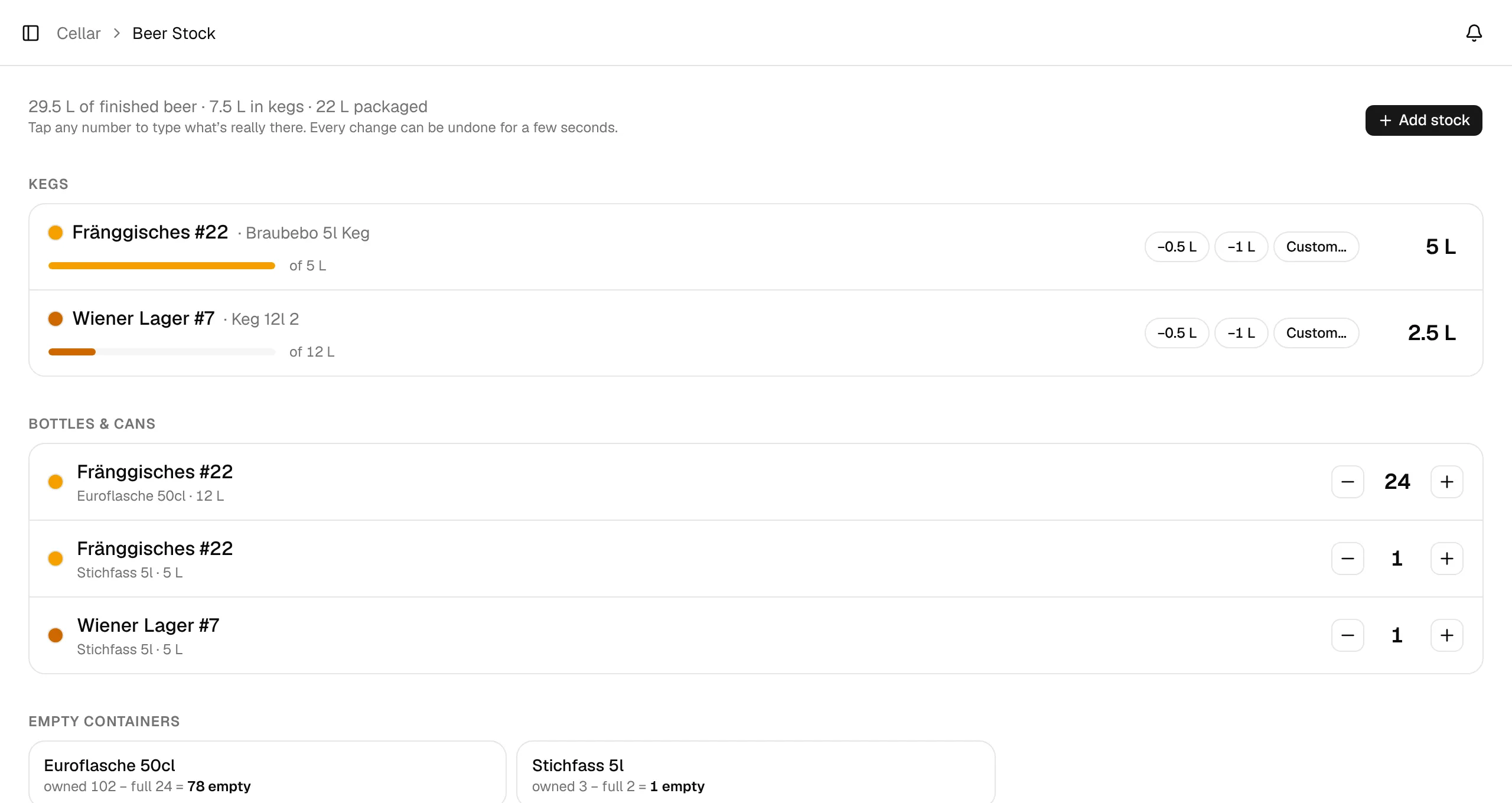
The top line sums it up, for example 29.5 L of finished beer · 7.5 L in kegs · 22 L packaged. Tap any number to type what's really there. Every change can be undone for a few seconds from the message that confirms it.
Kegs
Every keg that is serving today has a row with the beer, the keg, a fill bar and the litres left.
- −0.5 L and −1 L take a pour out of the keg; Custom… takes any amount.
- Tap the litres to type the real amount.
- Attach sensor links a keg scale or volume sensor, which then keeps the litres up to date. While it's attached, the sensor owns the number and you can't type over it; the row shows the sensor and the age of its last reading. Detach gives the number back to you. Setup: Keg sensors.
- When a keg is empty or nearly empty, the row says the keg stays busy until you free it and offers Free …. A keg that went on tap today can only be freed from tomorrow, or you remove the stay.
- External beer can be linked to one of your brews with Link to brew.
Bottles & cans
One line per beer and container, for example Fränggisches #22 · Euroflasche 50cl · 12 L.
- − and + change the count by one; tap the count to type it.
- After a lower count, the toast offers Bottle gone (or 3 bottles gone) next to Undo, for bottles you gave away, broke or won't refill. It also lowers the container's owned count, so they don't come back as empties. Only shown for containers with an owned count.
- Lines at 0 are hidden. Show empty brings them back.
- Link to brew turns an external beer into one of your brews. If that brew already has a line in the same container, the counts add up into one line.
Add stock
Add stock adds bottles and cans by hand, for a brew or for External beer you bought.
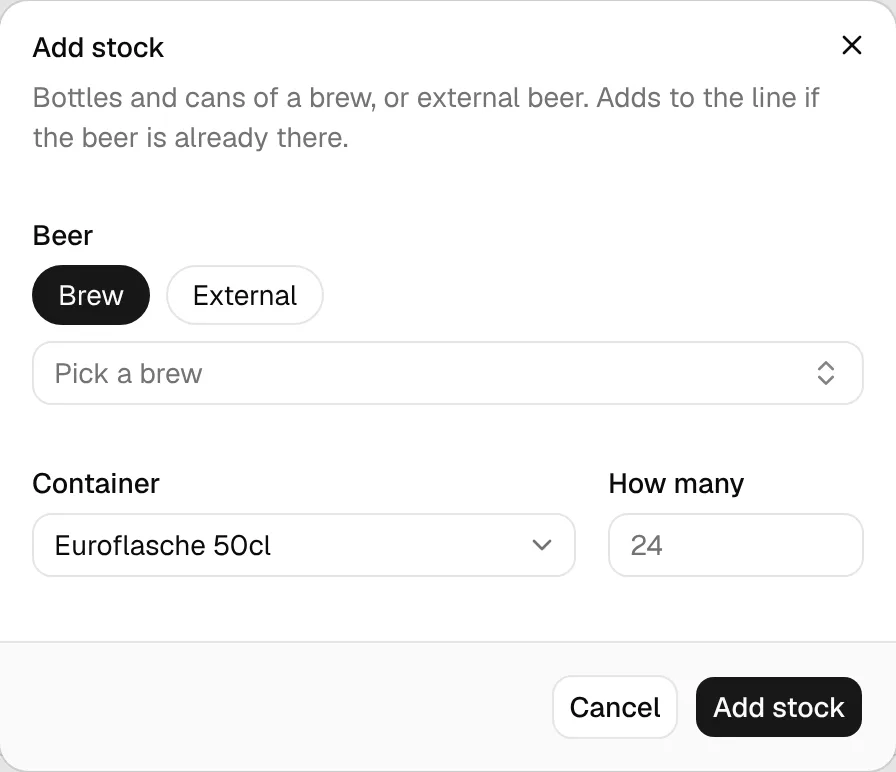
Pick the beer, the Container and How many. If the beer already has a line in that container, the count is added to it.
Empty containers
For each container with an owned count, the bottom of the page shows owned − full = empty, so you know how many bottles are left for the next packaging. Set the owned count in Vessels & Containers.
total = litres left in all serving kegs + Σ (count × container volume)
Kegs with an unknown volume count as 0. Example: kegs with 5 L and 2.5 L, plus 24 × 0.5 L and 2 × 5 L → 7.5 L + 22 L = 29.5 L.