Ingredient library
Copy supplier ingredients from your BrewForge inventory into your own My Ingredients library, and move ingredients imported from Brewfather or Kleiner Brauhelfer into it.
Every ingredient in your inventory comes from a source: a supplier package (Weyermann, BarthHaas, Fermentis …) or your own My Ingredients library. Items whose ingredient comes from My Ingredients show My ingredient instead of a supplier in the inventory list.
My Ingredients is where you keep ingredients exactly as you want them, independent of a supplier package. Managing that library is described in Purchasing; this page covers the actions you reach from the inventory.
Add an ingredient to My Ingredients
The item dialog (when you add or open an item) ends with an Ingredient library fold. Its summary tells you where the ingredient comes from: Catalogue (a supplier package), Brewfather import, Kleiner Brauhelfer import or My ingredients. The fold isn't shown for My Ingredients, unless the item can move to a built-in water agent (see below).
For an ingredient from a supplier package, open the fold and click Add name to Library.
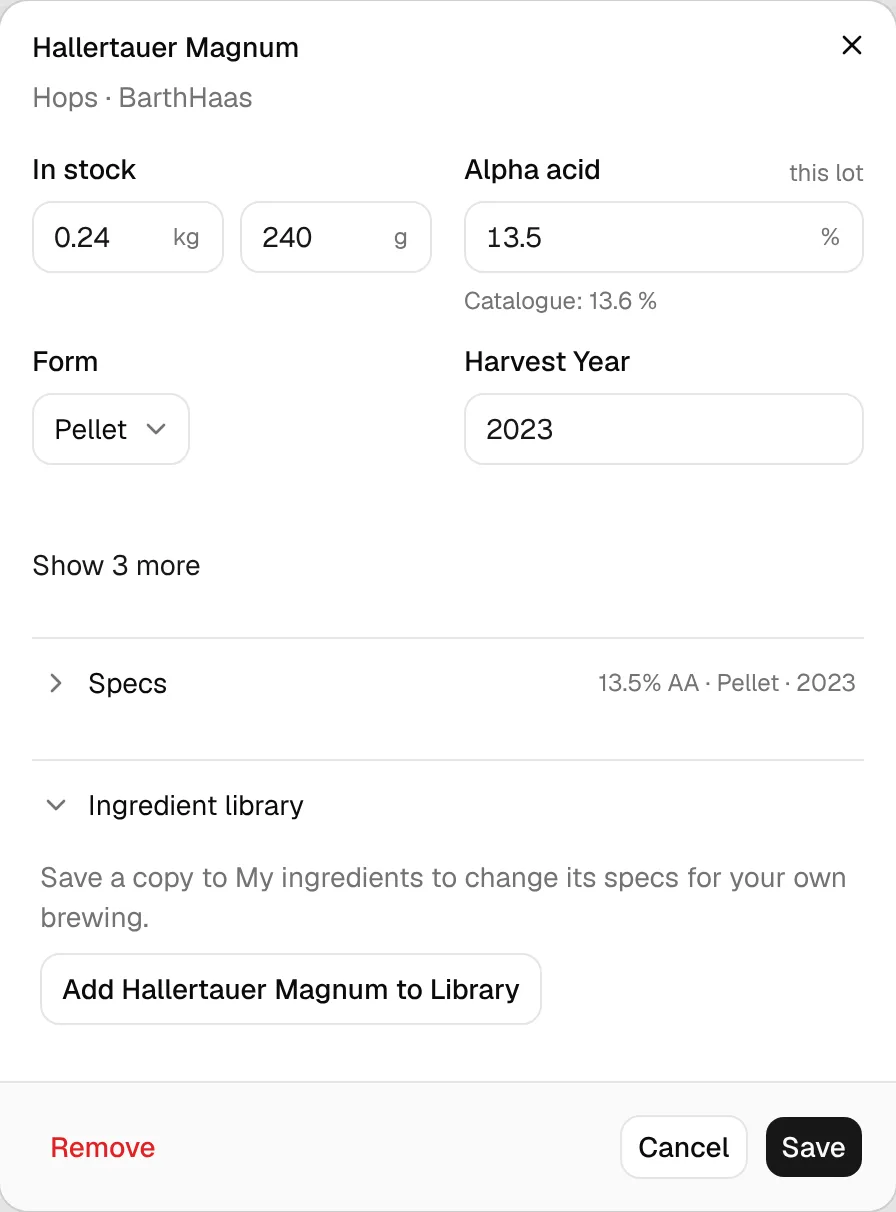
This saves a copy of the ingredient with all its properties (alpha and beta acids, oils, color, potential, attenuation, description and so on) in My Ingredients. The fold then shows Added to My Library. If you already have the ingredient there, it shows Already in My Library instead.
Adding to the library doesn't change the inventory item: it keeps pointing to the supplier's ingredient.
Move an imported ingredient to My Ingredients
Ingredients that came in with the Brewfather import or the Kleiner Brauhelfer import sit in a package called Brewfather Import or Kleiner Brauhelfer Import. For those, the Ingredient library fold offers Move name to My Ingredients instead:
- If My Ingredients has no matching entry, the ingredient moves over. Recipes and inventory items stay linked to it; only its source changes.
- If My Ingredients already has the same ingredient (matched by its original source, never by name alone), the button reads Move and merge name. Recipe and inventory links are moved to the existing My Ingredients entry.
A short note under the button tells you which of the two happens.
Move a water agent to the built-in one
BrewForge has built-in water agents (gypsum, calcium chloride, lactic acid and others) that water chemistry calculates with. If a misc item in your inventory is a water agent from My Ingredients or one of the imports with the same name as a built-in one, its Ingredient library fold shows Move stock to built-in name with the button Move to name. Clicking it moves the stock to the built-in water agent and closes the dialog.