Import BeerXML recipes
Import BeerXML recipe files from BeerSmith, Brewer's Friend, Brewfather and other brewing software into BrewForge, and what is converted.
BeerXML is the common exchange format of brewing software. BeerSmith, Brewer's Friend, Brewfather and most other tools can export recipes as a .xml file, and BrewForge imports them as new recipes.
Moving your whole Brewfather account, with batches, profiles and inventory? Use the Brewfather import instead. BeerXML only carries recipes.
Import a BeerXML file
Export the recipe from your current software as BeerXML. One file may contain several recipes; all of them are imported.
In BrewForge, open Brews, click ⋯ next to New Brew and choose Import BeerXML.
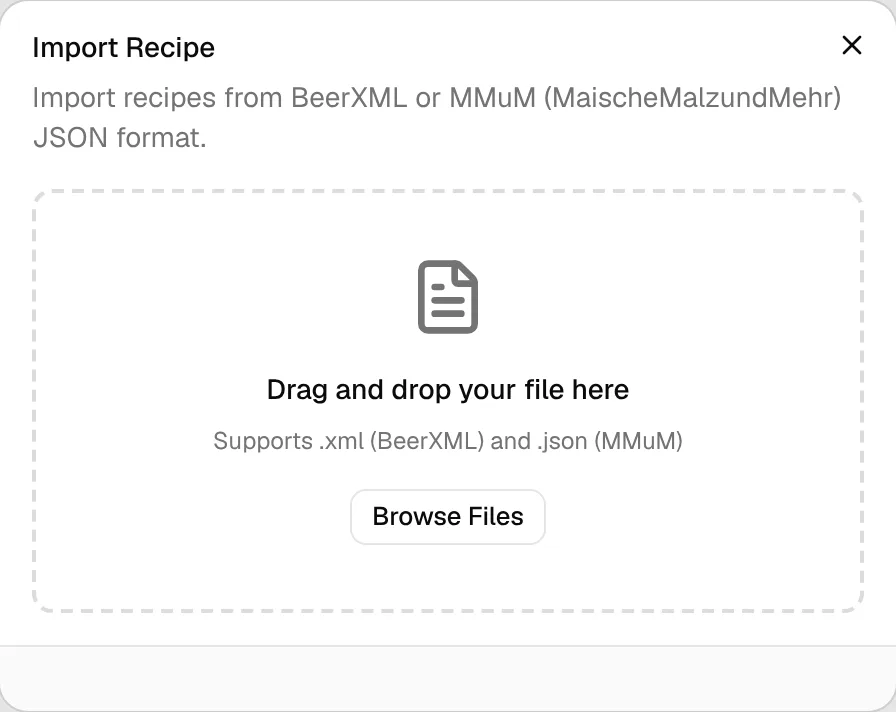
Drag the .xml file onto the dialog, or click Browse Files and pick it.
BrewForge shows Import Successful with the number of imported recipes. For a single recipe, View Recipe opens it. Import Another starts over with the next file.
Each recipe becomes a brew with the status Idea, tagged imported, without a batch number or brew date. Plan it when you are ready to brew.
Free plan
Every imported recipe counts as a brew. The Free plan holds 20 brews. If a file contains more recipes than you have room for, nothing is imported and BrewForge shows an error. Delete brews you don't need or upgrade, then import again.
What is imported
| From the BeerXML file | In BrewForge |
|---|---|
| Name, notes, brewer, recipe type | Brew name, description, brewer and brew type (all grain, partial mash or extract) |
| Batch size, boil time, efficiency | Recipe values (efficiency 72% if the file has none) |
| Fermentables | Fermentables with amount, color (BeerXML's °Lovibond, stored as EBC: (1.3546 × °L − 0.76) × 1.97), potential, origin and supplier. Sugars and extracts are added in the boil, "add after boil" items in fermentation |
| Hops | Hops with amount, alpha acid, form and use. "Aroma" hops become whirlpool additions, dry hop times are converted from minutes to days |
| Yeasts | Yeasts with lab and product ID. The amount is taken from the display amount when present |
| Miscs | Misc ingredients. Water agents become water adjustments instead |
| Mash | Mash steps with their temperatures and times. Without a mash in the file: a single 60-minute infusion at 67 °C |
| Primary, secondary, tertiary and aging | Fermentation stages. Without them: 14 days primary at 18 °C |
| Style | Style with its ranges for OG, FG, IBU, color and ABV |
| Equipment | Equipment values of the brew. Without equipment in the file, a basic "Imported Equipment" from the batch size and boil time |
| Water profile | Source water of the brew. Without one, your default water profile is used |
| Carbonation | Target CO₂ volumes |
BeerXML stores a fermentable's extract as yield in percent. BrewForge converts it to points per pound per gallon:
PPG = yield % / 100 × 46
46 is the extract of pure sucrose. Example: a Pilsner malt with 80% yield gets 80 / 100 × 46 = 36.8 PPG.
Files from Kleiner Brauhelfer
Kleiner Brauhelfer writes its own values into BeerXML: EFFICIENCY is its Sudhausausbeute and BATCH_SIZE its Menge, the wort at 20 °C at the end of the boil. BrewForge recognizes these files (Kleiner Brauhelfer signs them as the brewer), tags the brew kbh-import and converts both like the Kleiner Brauhelfer import: the Sudhausausbeute becomes mash efficiency on the file's grain bill, and the batch volume is the Menge minus the trub loss (1 L and 4 % cooling shrinkage unless the file's equipment says otherwise).
mash efficiency % = EFFICIENCY % / (average malt potential PPG / 46.21)
batch volume L = BATCH_SIZE L − trub loss L × (1 − cooling shrinkage % / 100)
Example: EFFICIENCY 60 % and BATCH_SIZE 20 L with a Pilsner malt of 77 % yield: 77 / 100 × 46 = 35.4 PPG, mash efficiency 60 / (35.4 / 46.21) = 78.3 %, batch volume 20 − 1 × 0.96 = 19 L. With the German efficiency setting the recipe shows 60 % Sudhausausbeute again.
Source: apps/web/lib/beerxml/converter.ts, apps/web/lib/brewing/sudhausausbeute.ts
Calculated values from the file
When the file contains the original program's estimates (OG, FG, ABV, IBU or color), BrewForge keeps them as import overrides, so the recipe shows the numbers you know from your old software. An import icon marks these values. You can switch the recipe to BrewForge's own calculations later.
Troubleshooting
| Problem | Solution |
|---|---|
| "Please select a BeerXML (.xml) or MMuM JSON (.json) file" | The file must end in .xml. Rename it if your software saved it differently. |
| "Invalid BeerXML: missing RECIPES element" or "no recipes found" | The file isn't a recipe export. Export a recipe, not an equipment or ingredient list. |
| Hop or yeast amounts look off | Check the ingredients after importing. Some programs write amounts the BeerXML standard doesn't define clearly, especially yeast. |
| OG, IBU or color differ from your old software | The imported values come from the old software. BrewForge's own calculation may differ because of its formulas and your equipment settings. |