Style library
Browse and search the BJCP 2021 style guidelines in BrewForge by name, number or description, see a style's ranges and copy it to My styles to adjust it.
The Library tab lists the official BJCP 2021 style guidelines: 93 styles in 26 categories, in guideline order (1 Standard American Beer to 26 Monastic Ale). Library styles are the same for every user and can't be changed. To adjust one, copy it to My styles.
Browse by category
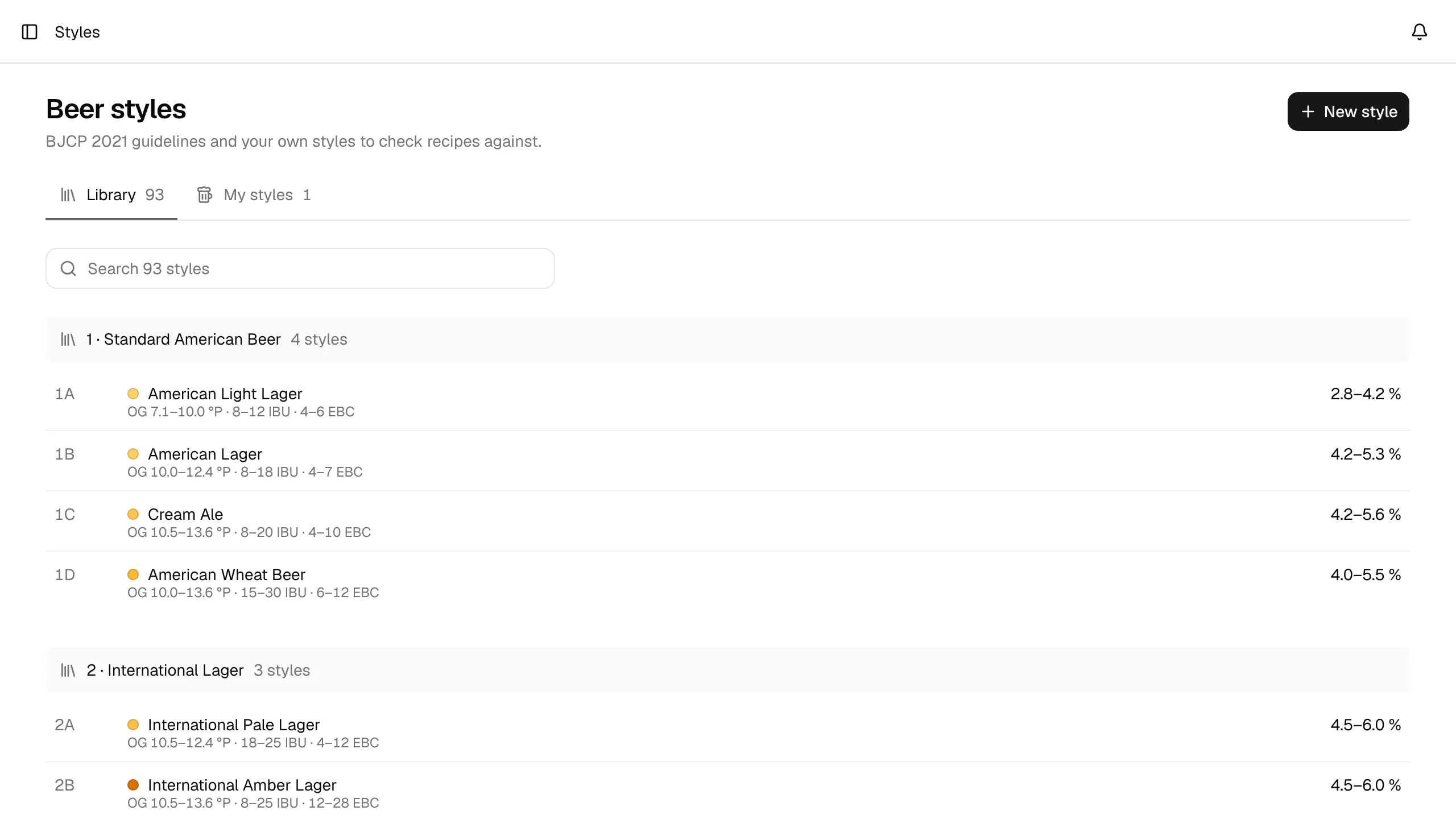
Each category is a section with its number, name and the number of styles in it, for example 21 · IPA · 8 styles. Every style row shows:
- the style number, for example 21A,
- a dot in the beer color of the style (the middle of its color range),
- the name, and the ABV range on the right,
- below, the ranges for OG, IBU and color.
Style names and categories stay in English in every language, as in the BJCP guidelines. The short descriptions are translated.
Gravity and color appear in the units you chose in your settings (SG or °P, SRM or EBC), so the ranges always read the same way as your recipes. See Account and settings.
Search
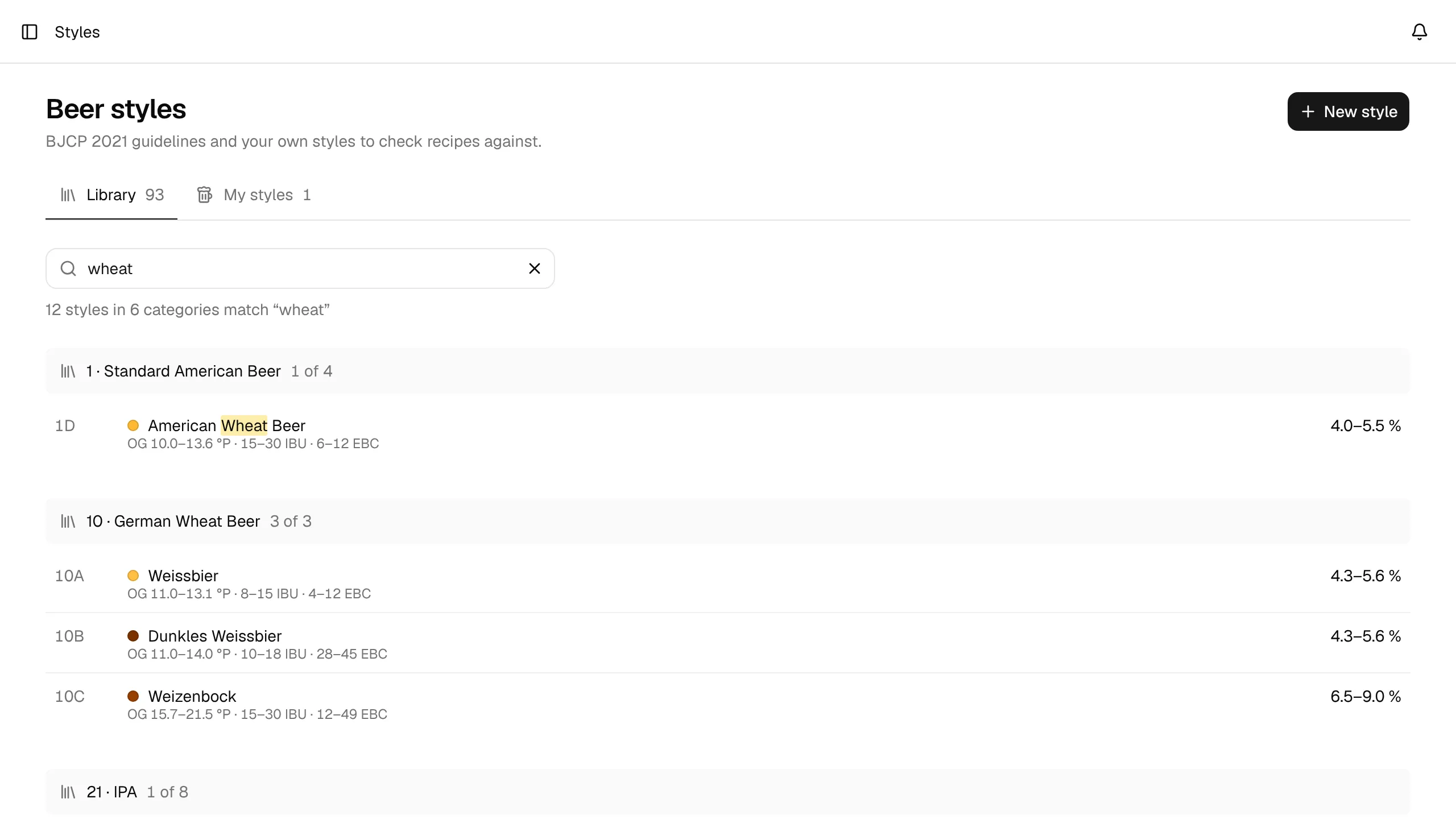
Type into Search 93 styles to filter the list. The search matches the style name, the style number (21A), the category or the description, and ignores upper and lower case. A search for wheat also finds styles whose description mentions wheat, such as Witbier.
While you search, only categories with a match are shown, each with the count of matches (for example 3 of 3), and the matching part of a name is highlighted. The line under the search field counts the results (12 styles in 6 categories match "wheat"). Click × in the search field, or Clear search when nothing matches, to show everything again.
A style in detail
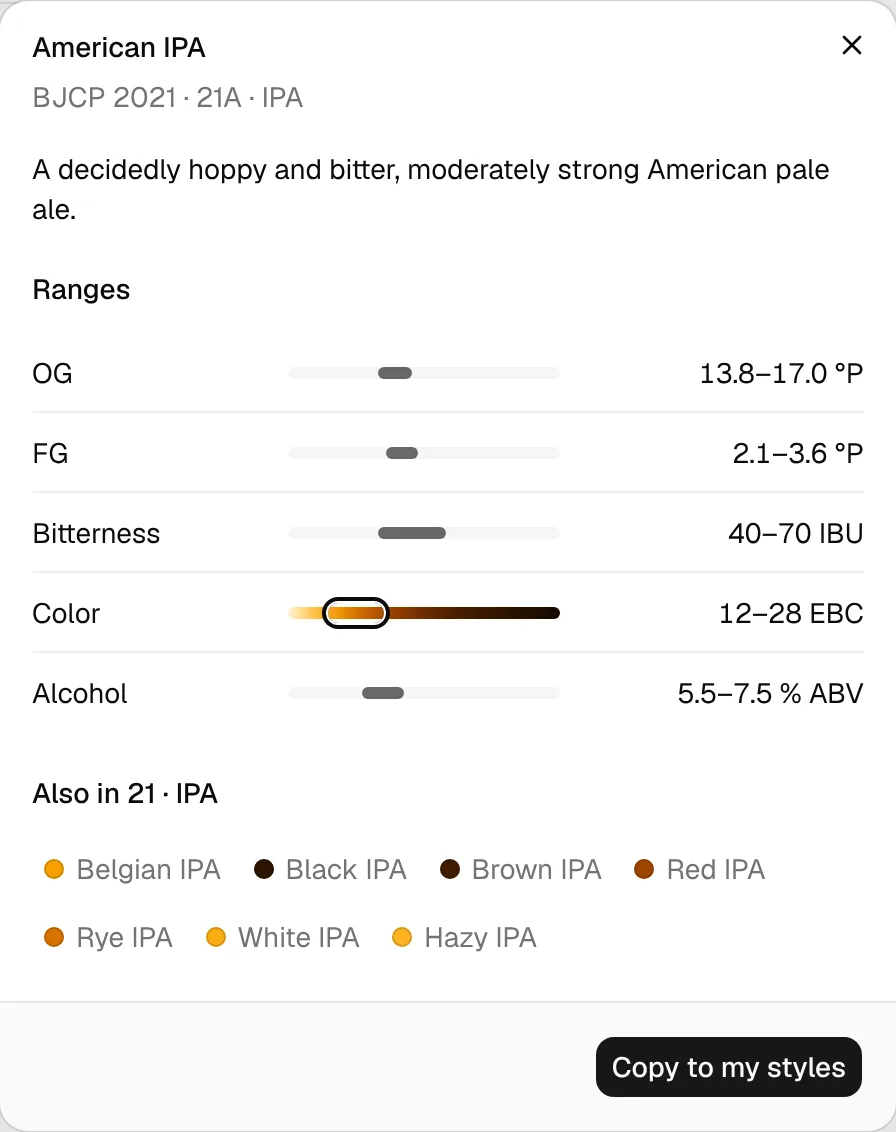
Click a style to open it. The dialog shows:
- the guideline, style number and category, for example BJCP 2021 · 21A · IPA,
- the description,
- the five Ranges (OG, FG, bitterness, color and alcohol), each with a bar on the same fixed scale for every style, so you can compare styles,
- the other styles of the same category (Also in 21 · IPA). Click one to switch to it.
Copy a style to My styles
Click Copy to my styles in the style's dialog. BrewForge creates a copy in your own styles and opens it, so you can change it right away.
The copy:
- keeps the name, category, style number, description and all ranges,
- gets the guideline Custom, because it's now your own style,
- keeps the description in the language you use BrewForge in,
- shows the library ranges as a dashed outline on its page, so you see where you deviate.
You can also start a copy from New style → A BJCP style, which lets you pick the name first. The library style itself stays unchanged. How to edit your copy: Custom styles.