Stays
Plan a brew or an external beer into a fermenter, tank or keg, change dates, move it to another vessel, push following stays when dates overlap, and free a vessel when it's empty.
A stay is one beer in one vessel for a span of days: a brew fermenting in a fermenter, lagering in a tank, or a keg on tap. Every bar on the cellar timeline is a stay.
A stay has:
- a role: Fermenting, Conditioning or Serving,
- a start day (Starts on) and an end day (Leaves on), or Until freed when it has no end yet. Kegs on tap usually run until freed: they block the vessel until you free it.
- optionally a stay name ("Primary", "Cold crash", "On tap"), a volume and notes.
Its status follows from the dates: Planned before it starts, Now while it runs, Finished once its end day has come.
Plan a stay
Click Plan a stay on the cellar overview.
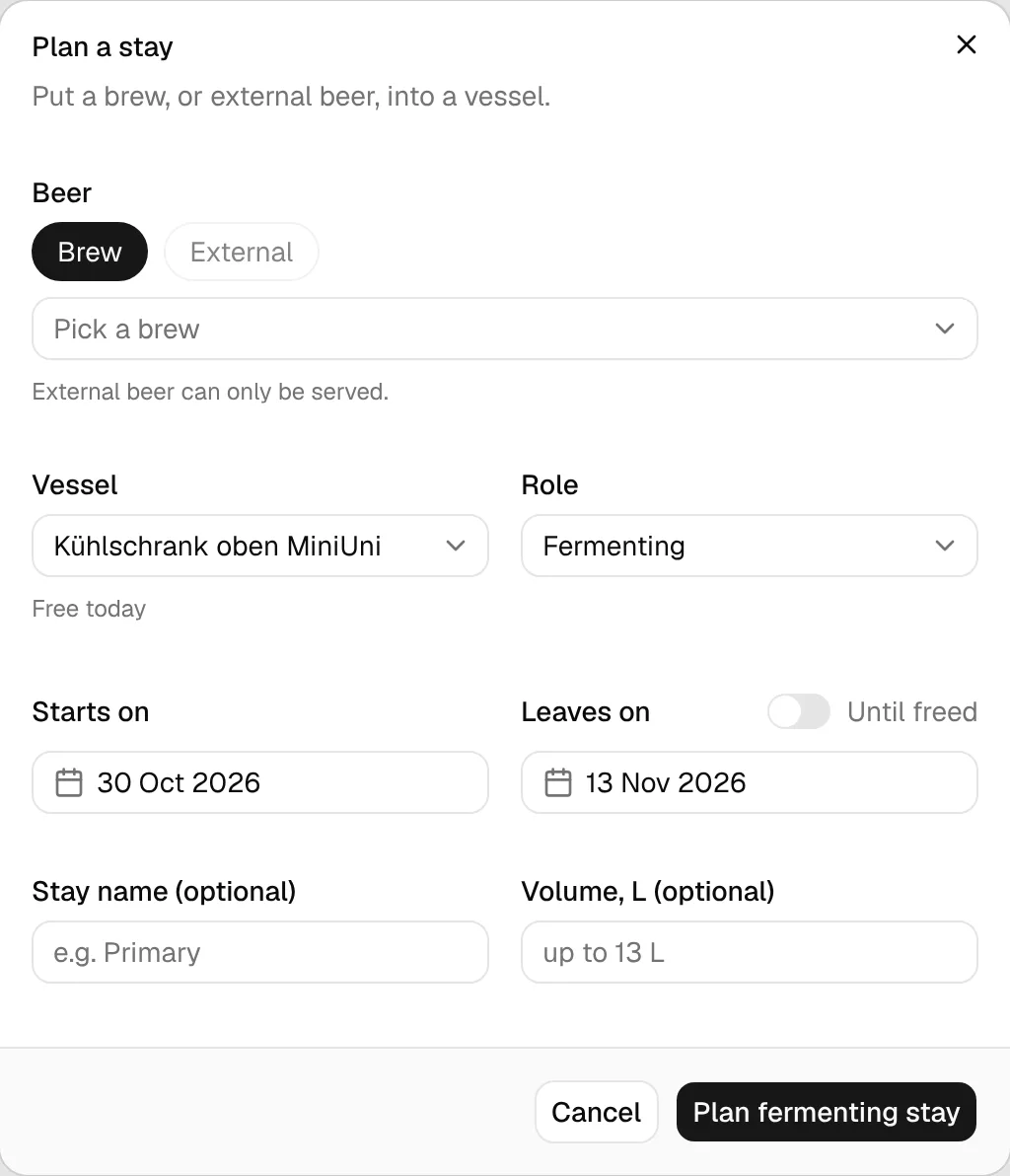
Under Beer, choose Brew and pick one of your planned, brewing, fermenting, conditioning or completed brews. Or choose External and type a Beer name for beer you didn't brew in BrewForge, such as a guest keg. External beer can only be served.
Pick the Vessel and the Role. Only the roles the vessel is set up for are offered. Below the vessel you see when it's free.
Set Starts on (today by default) and Leaves on (two weeks later by default), or switch on Until freed. Serving stays start as until freed.
Optionally give the stay a name and a Volume, L (up to the vessel's capacity), then confirm, for example Plan fermenting stay.
A new stay can't overlap another stay in the same vessel. If it does, BrewForge tells you which beer is in the way: pick another vessel or move a date. A brew also can't sit in two fermenters or tanks at the same time. Kegs of the same brew are fine, since they are partial packaging.
Change a stay
Click a bar on the timeline to open the stay.
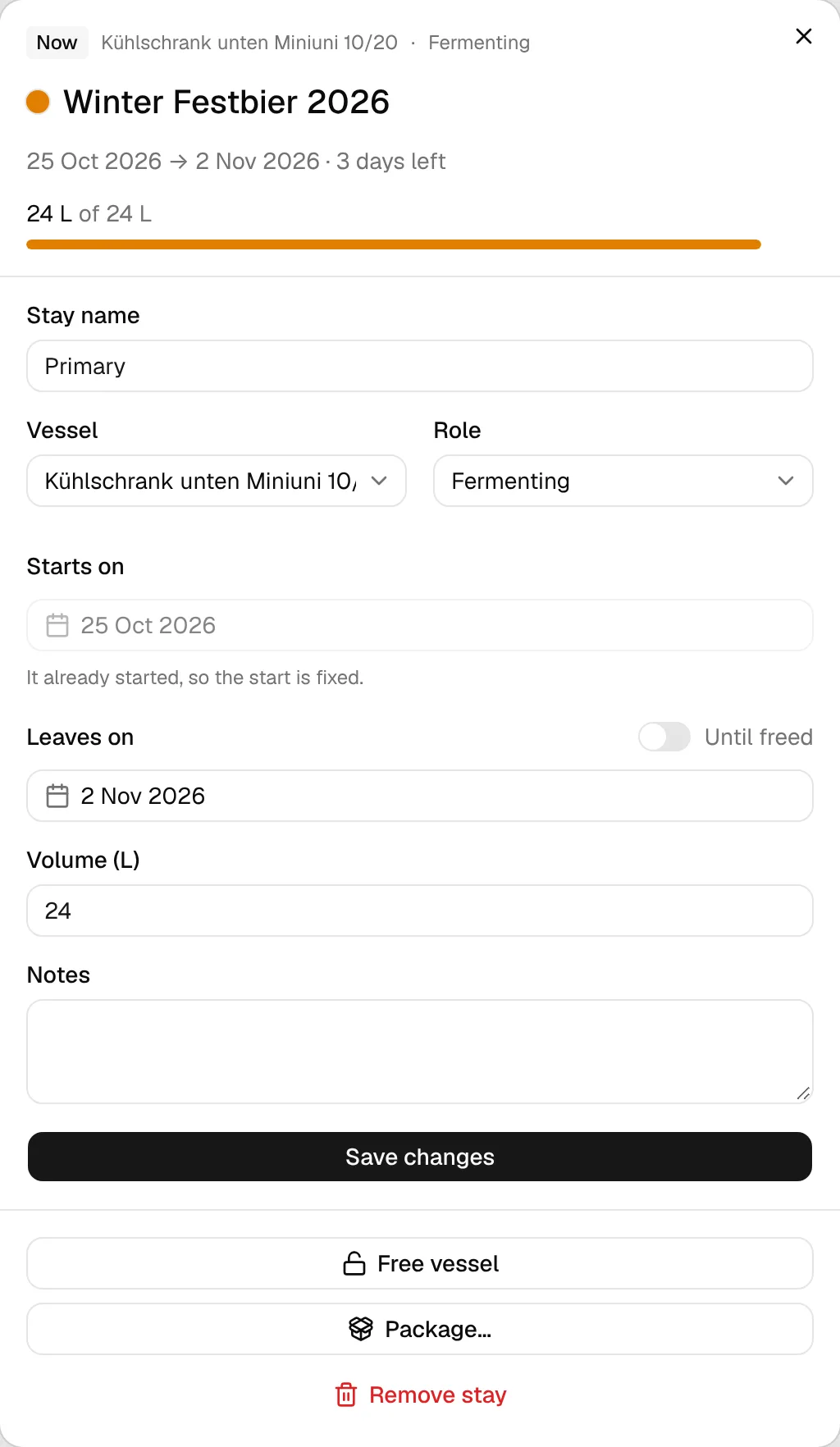
The header shows the status, vessel, role, dates, days left and, if known, the volume against the vessel's capacity. Below it you can change:
- Stay name, Vessel (moves the stay to another vessel) and Role,
- Starts on: fixed once the stay has started,
- Leaves on or Until freed,
- Volume (L), called Beer left (L) on a serving stay,
- Notes.
Then click Save changes.
When dates overlap
BrewForge never saves an overlapping change silently. If your new dates collide with another stay, the timeline marks the clash and shows where the stays would go, and you choose:
- Push following stays too: later stays move back just as far as needed. Pushing follows the same vessel and the same brew's later stays in other vessels, and repeats until nothing overlaps.
- Don't change anything: drops your edit.
Pushing has limits. A stay that has already started never moves, and a stay that runs until freed can't be pushed past. In those cases BrewForge explains why the change can't be made as it is. To use another vessel instead, move the stay that's in the way there first.
Free a vessel
Free vessel ends a current stay today, so the vessel shows as free from today. Use it when a fermenter is emptied early or a keg is empty.
Kegs are never freed automatically, even at 0 L. When a serving keg gets below 1 L, it appears under Needs you on the overview with Free?. A stay that only started today can't end today; remove it instead if the vessel is empty.
Package and remove
- Package… (or Repackage… on a serving keg) opens packaging with this stay as the source. See Packaging.
- Remove stay deletes the stay from the cellar. Removing a current keg stay also removes that keg from your stock.
Stays from your brews
Stays don't have to be planned by hand: a brew can be planned into the cellar from its fermentation steps as well. Those stays show up on the timeline like any other and can be changed here.