Import MaischeMalzundMehr (MMuM) recipes
Import recipes from MaischeMalzundMehr (MMuM) as JSON into BrewForge, including how the Sudhausausbeute and the Ausschlagwürze are converted.
MaischeMalzundMehr (MMuM) is a large German recipe database for homebrewers. BrewForge imports its JSON recipe export directly, including decoction mashes, so you can brew any MMuM recipe with your own equipment.
Import an MMuM recipe
Open the recipe on maischemalzundmehr.de and download its JSON export. BrewForge reads MMuM export versions 1.0 and 2.0.
In BrewForge, open Brews, click ⋯ next to New Brew and choose Import BeerXML. The same dialog also takes MMuM files.
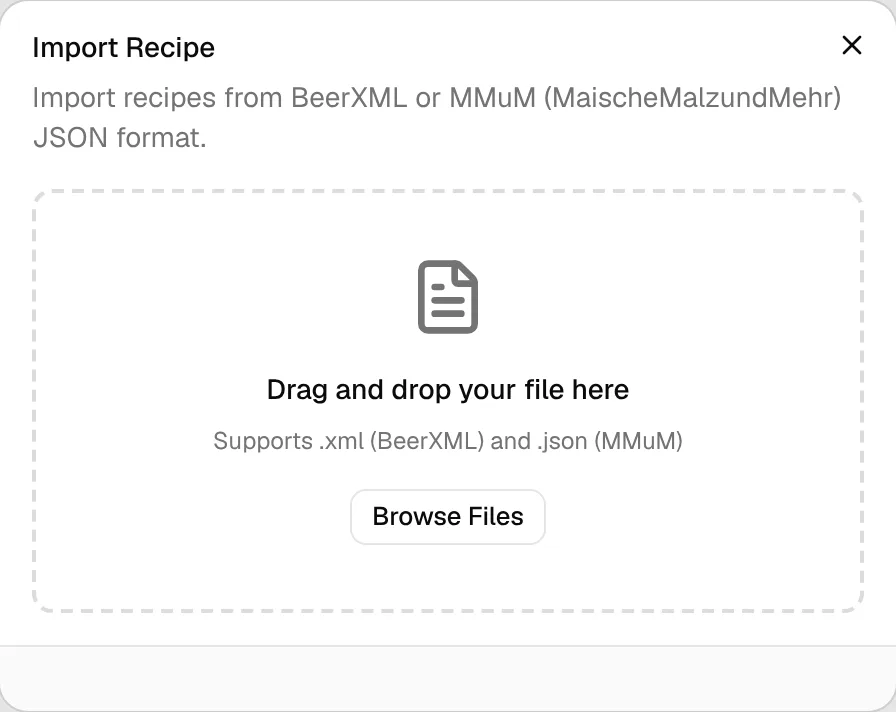
Drag the .json file onto the dialog, or click Browse Files and pick it.
If the export lacks the final volume or the Sudhausausbeute, BrewForge asks for them (see below). Then click Import Recipe.
After Import Successful, click View Recipe to open the new brew.
The recipe becomes a brew with the status Idea, tagged imported and mmum. It counts towards the 20 brews of the Free plan.
When BrewForge asks for missing values
Some MMuM exports contain neither the final volume (Ausschlagwürze) nor the Sudhausausbeute, although the recipe page on the website shows both. BrewForge then asks you for the missing ones:
- Final volume / Ausschlagwürze (L): the hot wort volume at the end of the boil, in liters.
- Sudhausausbeute (%): the brewhouse yield from the MMuM recipe view.
Enter the standard values from the recipe's MMuM web page. The dialog shows the recipe's Total malts so you can check that the values belong to that malt amount. Values for a different malt amount give you the wrong gravity.
How the Sudhausausbeute and the Ausschlagwürze are imported
MMuM's Sudhausausbeute is the share of the grain weight that ends up as extract in the cast-out wort (Ausschlagwürze), measured hot at the end of the boil. BrewForge stores it as mash efficiency: the share of the grain bill's extract potential that reaches the kettle. The boil only concentrates the wort, so both describe the same extract, and the recipe keeps MMuM's original gravity.
mash efficiency % = Sudhausausbeute % / extract yield
extract yield = average malt potential (PPG) / 46.21
46.21 PPG is pure sucrose. MMuM has no potential per malt, so BrewForge uses its grain default of 36 PPG: an extract yield of 36 / 46.21 = 77.9 %.
Example: 65 % Sudhausausbeute becomes 65 / 0.779 = 83.4 % mash efficiency. With the German efficiency setting the recipe shows 83.4 % × 0.779 = 65 % Sudhausausbeute again.
The mash efficiency can't exceed 100 %, so the highest Sudhausausbeute is the extract yield: 77.9 % for MMuM's malts.
Source: apps/web/lib/brewing/sudhausausbeute.ts
BrewForge's batch volume is the wort in the fermenter: cold, after the trub loss in the kettle. MMuM's Ausschlagwürze is the hot wort in the kettle, so BrewForge cools it and takes off the trub loss of your default equipment profile.
cold cast-out wort L = Ausschlagwürze L × 0.96
batch volume L = cold cast-out wort L − trub loss L × (1 − cooling shrinkage % / 100)
0.96 is the cooling factor of MMuM's Sudhausausbeute formula. Trub loss and cooling shrinkage come from your default equipment profile; without one, BrewForge uses 1 L and 4 %. If the profile measures the batch volume in the kettle, the batch volume is the hot kettle volume instead: cold cast-out wort L / (1 − cooling shrinkage % / 100).
Example: 20 L Ausschlagwürze with 1 L trub loss and 4 % shrinkage: 20 × 0.96 = 19.2 L cold, 19.2 − 1 × 0.96 = 18.2 L in the fermenter. The kettle holds 20 L at the end of the boil, and the original gravity stays at MMuM's.
Kleiner Brauhelfer writes MMuM files too, with its volume at 20 °C. BrewForge tells the two apart by the recipe's own numbers: grain weight × Sudhausausbeute equals volume × °P × SG × 0.96 for a hot volume, and volume × °P × SG for a cold one.
Source: apps/web/lib/brewing/sudhausausbeute.ts
What is imported
| From MMuM | In BrewForge |
|---|---|
| Name, author, style (Sorte) | Brew name, brewer and style name |
| Short description, author notes, fermentation temperature | Description |
| Ausschlagwürze, boil time | Batch volume in the fermenter (see above) and boil time |
| Malts | Fermentables added in the mash |
| Boil hops | Hops with amount, alpha acid and time. First wort hops (Vorderwürzehopfen) and whirlpool hops keep their use |
| Dry hops (Stopfhopfen) | Dry hop additions. MMuM has no alpha acid for them, so it is set to 0 |
| Spices and other additions | Misc ingredients in the boil; fermentation additions in primary |
| Yeast | Yeast with attenuation and temperature range. MMuM doesn't export a pitch amount, so the amount is 0 and the yeast carries a note |
| Rests (Rasten) or decoctions | Mash steps. The first rest gets the mash water and mash-in temperature, decoctions keep their volume and boil time, mash-out is added as a final step without a duration |
| Hauptguss, Nachguss | Mash water and sparge water |
| Carbonation in g/L | Target CO₂ volumes |
MMuM recipes have no equipment or fermentation schedule. BrewForge uses your default equipment profile and default water profile (set under Settings → New brews → Defaults, see Settings); the fermentation schedule starts empty.
MMuM gives the original gravity in °Plato and carbonation in g/L. BrewForge converts them:
SG = 260.4 / (260.4 − °P) and CO₂ volumes = g/L / 1.96
Example: 12.5 °P gives 260.4 / 247.9 = 1.050, and 5.5 g/L gives 2.8 volumes.
Calculated values from MMuM
BrewForge keeps MMuM's own values for original gravity, IBU, color (EBC), ABV, attenuation, efficiency and water amounts as import overrides. The recipe shows the numbers from the MMuM page; an import icon marks them. You can switch the recipe to BrewForge's own calculations later.
Troubleshooting
| Problem | Solution |
|---|---|
| "Unsupported MMuM export version" | BrewForge reads export versions 1.0 and 2.0. Download the recipe again from maischemalzundmehr.de. |
| "Invalid MMuM JSON" | The file is not an MMuM recipe export or was changed. Download it again. |
| "For this grain bill the Sudhausausbeute can be at most …" | See the formula above. Check that you entered the Sudhausausbeute, not another percentage. |
| Gravity is much too high or low | The final volume or Sudhausausbeute doesn't match the malt amount. Delete the brew and import again with the values for the shown Total malts. |
| "Unsupported MMuM mass unit" | An ingredient uses a unit BrewForge doesn't know. Supported are kg, g, mg, lb and oz for malts, plus l, ml, tsp, tbsp and pieces for additions. |